
Meta Description: Your company is growing and your personnel planning is reaching its limits? Learn in this guide why the switch from Staffcloud to job.rocks is the right step for scalability and intelligent automation.
The main reason why companies switch from Staffcloud to job.rocks sooner or later is quite simple: superior scalability and significantly smarter automationStaffcloud is a solid tool for simple planning tasks. Absolutely. But as complexity grows – multiple locations, hundreds of temporary employees, or industry-specific compliance requirements – the system noticeably reaches its limits.
This is exactly where job.rocks comes in. It is built from the ground up to grow with your company and not only handle complex processes but keep them simple.
Why the switch from staffcloud to job.rocks is crucial for your growth
Are you also facing the challenge of organizing your personnel planning so that it not only works today but also effortlessly manages tomorrow's growth? Many companies eventually realize that their current tools become a bottleneck with increasing complexity. This article shows you why now might be the right moment to consider switching to job.rocks.
The switch is more than just a software update; it is a strategic step in the Digital transformation in medium-sized businesses, which makes your company more agile and competitive. It's about preparing you for sustainable growth.
Quick comparison job.rocks vs. Staffcloud for growing companies
To summarize the differences, I have compared the key features in a table. Here you can immediately see where job.rocks has the edge in scalability and automation.
| Feature | Staffcloud | job.rocks |
|---|---|---|
| Target group | Smaller to medium teams with simple planning | Growing companies with complex requirements |
| Scalability | Limited with many locations or large personnel pool | Designed for high growth and complex structures |
| Automation | Basic functions | Comprehensive process automation |
| Mobile app | Basic features | Extended employee self-service, geofencing |
This overview makes it clear: While Staffcloud may be good for the start, job.rocks is the logical choice for the next growth phase.
Managing growth and complexity
The demands on personnel planning are not getting easier, on the contrary. In Switzerland alone, shift work has massively increased over the last two decades. In 2022, around 593,000 people in shift work, which is 15.9% of all employees.. More than half of them even have constantly changing working hours - a nightmare for any manual planning.
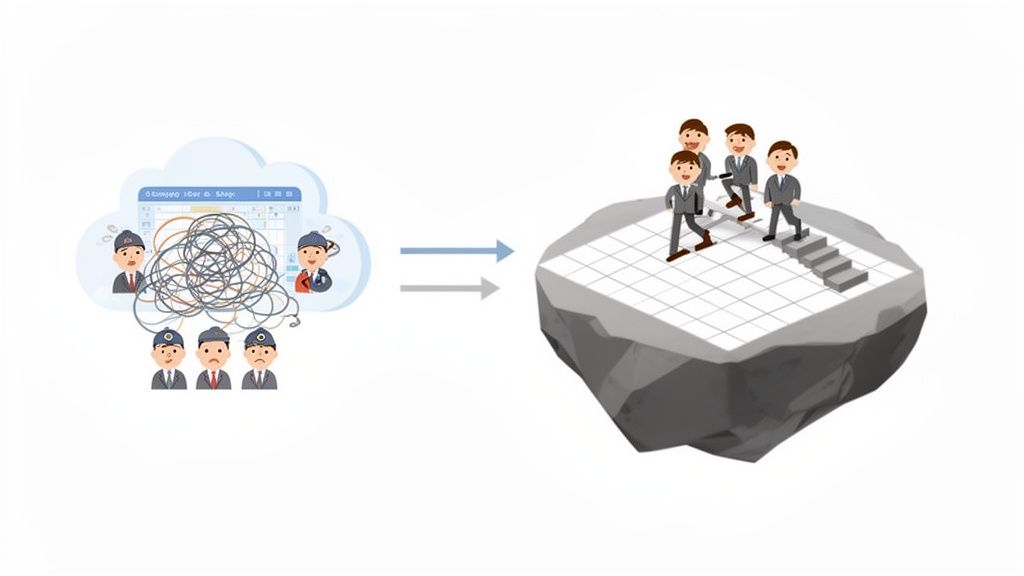
Exactly here, a well-thought-out interface helps reduce complexity instead of just depicting it. The job.rocks dashboard gives you a clear overview of all important metrics and upcoming tasks, greatly facilitating daily work. It's not just about collecting data, but preparing it in a way that allows you to make better decisions. If you're interested in the topic, you can read more here about how modern user experience design in the hospitality industry wins.
Real scalability: What your personnel planning really has to withstand
Your company is growing – but is your planning software really keeping up? Real scalability does not just mean managing more employees in a list. The real test comes when the complexity explodes.
Imagine you are opening new locations, introducing completely different shift models, or need to cushion seasonal peaks with hundreds of new people. This is exactly where it is decided whether your system has a solid foundation or is just a house of cards.
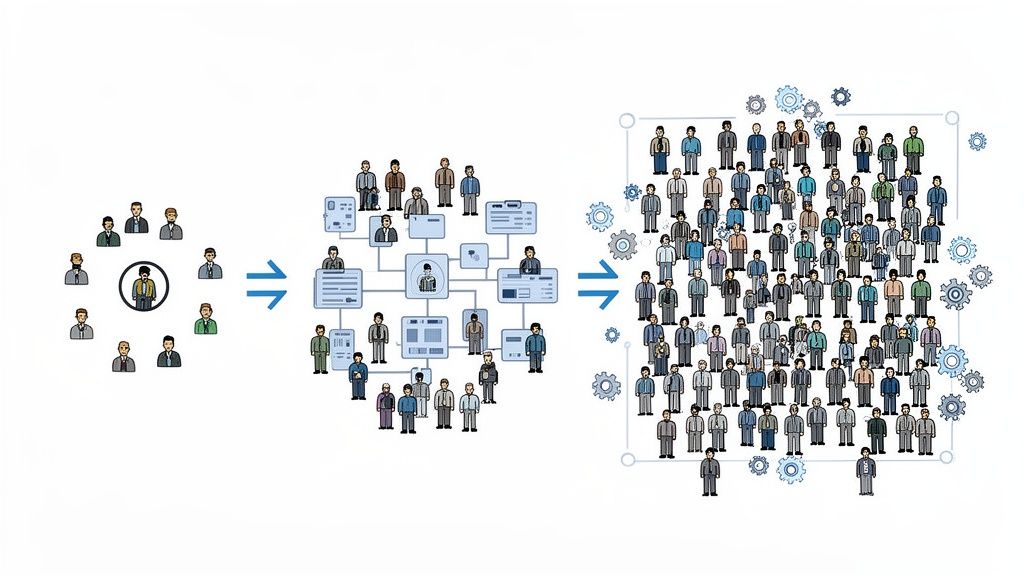
When simple systems hit their limits
For many, it is Staffcloud a good starting point. The software masters the basics of personnel planning and works reliably within a manageable framework. However, the architecture is simply not built for exponential growth or increasing organizational complexity.
Once you start managing different teams in various locations – each with its own rules, rates, and qualifications – planning quickly becomes confusing and error-prone. Suddenly, manual workarounds and Excel lists creep back in. Exactly what you wanted to eliminate.
job.rocks, on the other hand, was designed from the ground up with a flexible, modular architecture. The system is designed to accurately represent complex structures without losing track. You can easily add new departments, locations, or even entire clients, each with its own rules and permissions.
Practical check: The event agency in a growth frenzy
Let’s take a practical example of an event agency that usually plans a core team of 50 people for corporate events. Suddenly, it wins the contract for a huge music festival. Within weeks, 500 temporary workers need to be recruited, qualified, and scheduled for areas such as entry control, gastronomy, and technology.
With simple software like Staffcloud, this becomes an administrative nightmare:
- Mass communication: Hundreds of emails and calls just to clarify availability.
- Qualification chaos: Manual checking of who actually has the necessary certificates for safety or hygiene.
- Planning effort: Hours of puzzling in the shift plan to fill each position correctly.
- Risk of error: High risk of double bookings or unfilled shifts due to lack of overview.
This is how job.rocks solves the scalability problem
With job.rocks, the same scenario looks completely different. Thanks to the flexible structure and clever automations, the planning effort remains minimal even with ten times the staffing needs.
job.rocks transforms reactive problem-solving into proactive personnel management. Instead of filling gaps, you build a robust and flexible talent pool from the start that grows with your requirements.
The process in job.rocks is completely different:
- Targeted personnel search: Du filterst deinen Talentpool nach spezifischen Fähigkeiten (etwa "Sicherheitsdienst" or "Erste-Hilfe-Zertifikat") und lädst nur die passenden Leute per App-Benachrichtigung ein.
- Automated promises: Employees confirm their availability with one click in the app. The system automatically checks qualifications and scheduling conflicts in the background.
- Intelligent shift staffing: You see in real time which shifts are filled and where there is still demand. The system can even make suggestions for the best allocation.
- Central communication: All information, from shift details to travel plans, is communicated centrally through the app. This prevents misunderstandings and saves countless follow-up questions.
This example shows: True scalability does not mean doing more of the same, but rather taming complexity through smart processes. While Staffcloud forces you to expend more administrative resources during strong growth, job.rocks enables you to manage multiple times the personnel with the same team. You plan proactively instead of just reacting, thus creating the foundation for sustainable growth without friction losses.
Automate processes and ensure compliance
Manual processes are not only painfully slow, they are also the biggest source of error in personnel planning. Especially when it comes to legal requirements, you cannot afford any inaccuracies. A miscalculated salary or an unnoticed violation of labor law can quickly become very expensive.
Here the chaff is separated from the wheat. While many systems offer basic planning functions, a future-proof solution is about intelligently automating the entire process. Compliance must run almost invisibly in the background.
From availability to payroll
job.rocks automates the entire chain: from the first availability inquiry to the qualification check and the automatic shift allocation to the final preparation of the payroll. Each individual step is digitized and seamlessly documented.
At Staffcloud many of these steps are possible, but often still require manual interventions or controls. The planner must actively ensure that all rules are followed – an undertaking that quickly becomes impossible with a large pool of personnel.
Intelligent automation means not only saving time. It creates a safety net that protects your company from costly mistakes and legal risks.
Imagine the system takes care of the grueling routine while you focus on strategic decisions. That is the difference between simple planning and real workforce management.
The gastronomy example in practice
Let's take a practical example: A hotel operation faces the daily challenge of strictly adhering to the legal break times and maximum working hours for its service staff. Manual control is extremely labor-intensive with changing shifts and numerous part-time employees.
-
With Staffcloud: The planner must manually go through the working hours of each employee. They must keep in mind that after a certain number of hours a break is recorded and the weekly maximum working hours are not exceeded. This is not only time-consuming but also extremely error-prone.
-
With job.rocks: You enter the legal or operational rules once in the system. If the dispatcher tries to schedule an employee for a shift that is too long without a break, the system automatically blocks the allocation or issues an unmistakable warning. Compliance with the requirements is thus ensured systemically, not dependent on the attention of a single person.
The digital time recording in job.rocks plays a key role here. Every stamping process is recorded precisely and immediately compared with the stored rules.
This illustration shows the simple interface for time recording that makes it easy for employees to document their hours accurately. This precise data is the indispensable basis for any automated compliance check and correct payroll.
Seamless documentation and data protection
Another critical point is data security and seamless documentation. In the event of an audit by authorities, you must be able to clearly demonstrate that all working time laws have been complied with. job.rocks automatically creates an unchangeable log of all working hours, breaks, and bonuses. You are always able to provide information and are on absolutely safe ground.
Moreover, the GDPR compliance is a central feature of the platform. All personnel data is managed securely and according to the highest Swiss data protection standards. If you want to delve deeper into this topic, you will find valuable information in our article about GDPR-compliant deployment planning valuable information.
The average working time per employee in Switzerland has continuously decreased and was 2023 at 1,495 hours per year. This development reflects not only the trend towards more part-time work but also stricter occupational safety regulations. With fewer available hours per capita, precise, compliant planning becomes even more crucial.
Therefore, switching to job.rocks means not only speeding up processes. It is a strategic decision to gain legal security and systematically exclude administrative risks.
Promoting employee engagement through mobile flexibility
Your employees are the heart of your company. But how well does your current software really support them in their daily work? Modern personnel planning goes far beyond merely assigning shifts. It is about creating a work environment where your people feel valued – and it starts today with a first-class mobile experience.
We are taking a close look at the mobile apps and the employee self-service features of job.rocks and Staffcloud. The focus is on how an intuitive and functional app directly influences the satisfaction and retention of your employees. This is especially crucial because new generations in the labor market expect maximum flexibility and self-determination.
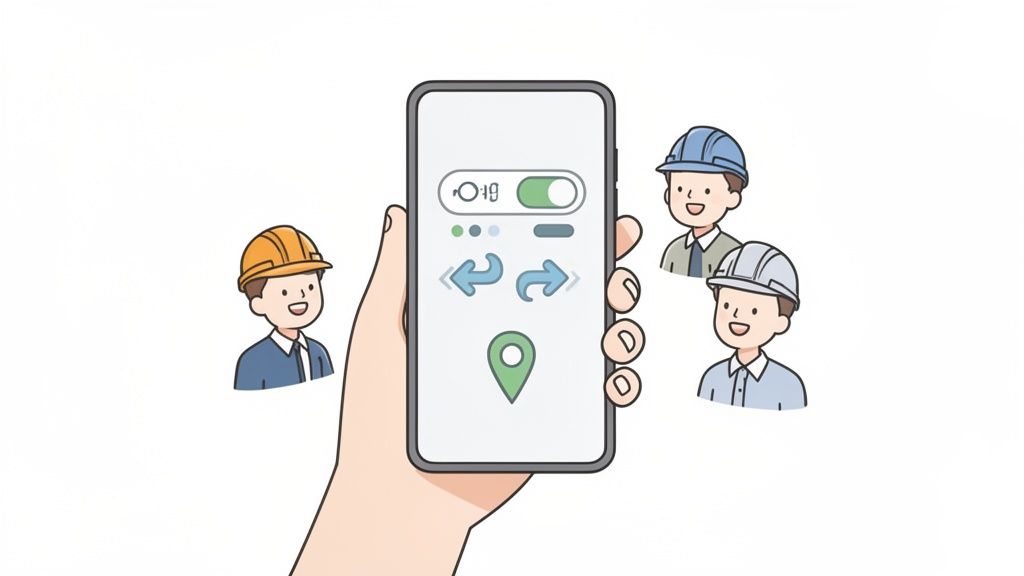
When the app becomes the most important work tool
Für temporäre or flexible Mitarbeitende ist die App oft der einzige direkte Draht zum Unternehmen. Eine klobige or funktionsarme Anwendung frustriert nicht nur, sie sendet auch eine klare Botschaft: "Deine Zeit und dein Komfort sind uns nicht so wichtig." Staffcloud bietet eine funktionale App für die Grundlagen, wie Schichtpläne einsehen und Verfügbarkeiten melden. Das funktioniert.
However, job.rocks goes crucial steps further here. The app is designed as a fully-fledged self-service portal that gives employees real control over their work. This not only strengthens personal responsibility but also reduces the administrative burden for your planners to a minimum.
A good employee app is not a nice extra but a central tool for employee retention. It shows your people that you take their needs seriously and trust them.
Self-determination in practice: A security service provider as an example
As a practical example, imagine a large security service provider that coordinates hundreds of employees at various events and locations. The planning is dynamic, and short-term changes are the order of the day.
-
The old way (often with Staffcloud): An employee gets sick. He calls the dispatcher. The dispatcher now has to frantically call around or write emails to find a replacement. This process is slow, inefficient, and ties up valuable resources.
-
The smart way with job.rocks: The sick employee reports their absence via the app. The open shift is immediately visible to all qualified colleagues. Another employee can request the shift directly in the app or even swap with a colleague if the rules allow it. The planner only needs to confirm the swap - or the process runs fully automatically with the appropriate configuration.
Such functions go far beyond what is usually possible with Staffcloud and create a noticeable relief in operational business.
Features that make a difference
What exactly makes the mobile experience of job.rocks so much better? There are very concrete features that make everyday work easier:
- Real-time availability management: Employees can update their availability anytime and from anywhere. This avoids unnecessary inquiries and ensures that your data is always up to date.
- Geofencing for time tracking: The app allows precise clocking in and out directly at the job site. This creates transparency for both sides and eliminates errors in manual time recording.
- Self-service for master data: Your employees can maintain their personal data such as address or bank account information themselves. This keeps your database up to date and saves your HR department a lot of work.
This kind of flexibility is no coincidence. It is a direct response to the changing expectations in the job market. The Flex-Work Study 2026 shows that 85% of Gen Z can imagine project-based and flexible work models. Companies that offer this freedom will have a clear advantage in the competition for talent.
With job.rocks, you are not only investing in software but in a modern work culture. You are giving your team the tools they need to work motivated and responsibly. Learn more about how a App for temporary workers can make all the difference.
Seamless integrations into your system landscape
An isolated solution slows down your company, no matter how well it works in isolation. If your personnel planning does not 'talk' to your payroll or your ERP system, you create manual work, data graveyards, and unnecessary sources of error. Real scalability only shows when all your systems mesh like gears.
Therefore, let's take a close look at the integration possibilities of job.rocks and Staffcloud. It is about the crucial question: How well does the software integrate into your existing IT environment and create a continuous, automated data flow?
The difference between connection and true integration
Staffcloud offers connections to common systems, often via standardized interfaces. This may be sufficient for simple data exports. You can download timesheets and manually import them into your payroll program. This is better than nothing, but it is not true, live integration.
job.rocks pursues a significantly deeper approach. Through a open and well-documented API (Application Programming Interface) enables a seamless, bidirectional connection to your core systems. This means: data flows automatically and in real-time between the programs.
An open API is the key to true flexibility. It allows you to create customized connections that are precisely tailored to your unique processes, rather than forcing you into a rigid corset of standard exports.
Practical example from personnel placement
Imagine a personnel placement agency that has to invoice hundreds of temporary workers weekly. Employees can easily record their hours via the app.
-
With Staffcloud: The process often requires manual steps. The recorded hours must be exported at the end of the month, usually as a CSV file. This file then needs to be checked and imported into the payroll program, for example Abacus or Sage, must be imported. Each of these steps carries the risk of formatting errors or data loss.
-
With job.rocks: Here, the process runs fully automatically. Once the hours are approved by the supervisor, they are sent directly to Abacus via the API. The payroll program immediately receives all relevant data – hours, bonuses, expenses – and can prepare the payroll without manual intervention. The data flow is seamless and error-free.
This direct connection makes the entire process from time tracking to payment not only faster but also significantly safer and more transparent.
Comparison of integration capabilities
This table shows the differences in connecting to third-party systems and the flexibility of the respective platforms.
| Integration aspect | Staffcloud | job.rocks |
|---|---|---|
| API Type | Closed or limited API, primarily for standard exports | Open, well-documented REST API for bidirectional data flows |
| Flexibility | Limited to predefined partner integrations | Nearly unlimited; connection to any system with an API possible |
| Data flow | Mostly unilateral (export), often requires manual intermediate steps | Fully automatic and in real-time, in both directions |
| Customization | Hardly customizable; reliant on existing interfaces | Fully customizable to individual business processes |
| Use case | Simple data transfer to common payroll or ERP systems | Complex process automation, integration with BI tools & industry software |
The table makes it clear: While Staffcloud is sufficient for basic connections, job.rocks provides the technological foundation for comprehensive, company-wide automation.
Flexibility through the open API
The biggest advantage of job.rocks is clearly its API flexibility. While the integration options at Staffcloud are often limited to a fixed selection of partners, job.rocks gives you the freedom to connect almost any system.
- Are you using an industry-specific ERP system? No problem.
- Do you want to send data to a business intelligence tool for analysis? The API makes it possible.
- Do you need to connect your own internal application? That's also feasible.
The following illustration shows a selection of standard integrations that job.rocks already offers.
This overview illustrates how job.rocks can function as a central hub in your IT infrastructure. It seamlessly connects personnel planning with payroll, ERP, and other important business applications. This creates a continuous flow of information, avoids duplicate data entry, and ensures that all departments work with the same, up-to-date information. For a growing company, this capability is not a luxury, but a necessity.
Your practical roadmap for switching to job.rocks
A software change often feels like a huge, overwhelming task. But don't worry: with the right plan, the transition from Staffcloud to job.rocks is not only feasible but also becomes a clear, structured process. Here is your roadmap that ensures the transition goes smoothly and without disruptions to daily business.
The key to success is thorough preparation and a clear step-by-step guide. This is not just about flipping a switch. A well-planned process ensures that everything runs smoothly from day one.
Phase 1: Preparing your data
Before you start, take a close look at your data in Staffcloud. Which information is truly business-critical and needs to move? This is the perfect moment to tidy up and get rid of old baggage.
- Employee master data: Gather all relevant information – names, addresses, qualifications, and contract details. Now is the time to permanently delete outdated profiles or duplicates.
- Customer and project data: Focus on active customers and ongoing projects. Everything else can be archived.
- Salary data and work models: Clearly define which types of wages, bonuses, and working time models need to be represented in job.rocks.
A clean data foundation is essential. It is the basis for a flawless migration and ensures that automation in your new system works precisely from the start.
Phase 2: Configuration and system setup
In this phase, you configure job.rocks exactly to the needs of your company. This is not a solo effort – the support team at job.rocks is there to assist you and ensures that all your individual processes are accurately represented.
You start with the import of the prepared master data. Then it’s time for the details: you configure the specific rules for your personnel planning, such as which qualifications are mandatory for certain shifts or how break regulations should be handled automatically.
The transition to new software is always a change process. It's not just about technology, but above all about taking the people in the company along and conveying the benefits of the new way of working.
A change of HR software is a big step that fundamentally changes the daily processes in personnel planning. To successfully manage this change, it is helpful to understand the human side of the process. Models like the one in Video: The House of Change can provide valuable insights.
Phase 3: Training your team
No one likes a tool they cannot master. Therefore, plan enough time to train your dispatchers and the administrative team. job.rocks is designed to be intuitive, but a targeted introduction to the new, automated processes makes all the difference.
Show your team concretely how the new features make their daily work easier. A strong example is the automated chain from time tracking to payroll accounting.
This diagram visualizes the seamless data flow – from time tracking through job.rocks directly into your payroll accounting.
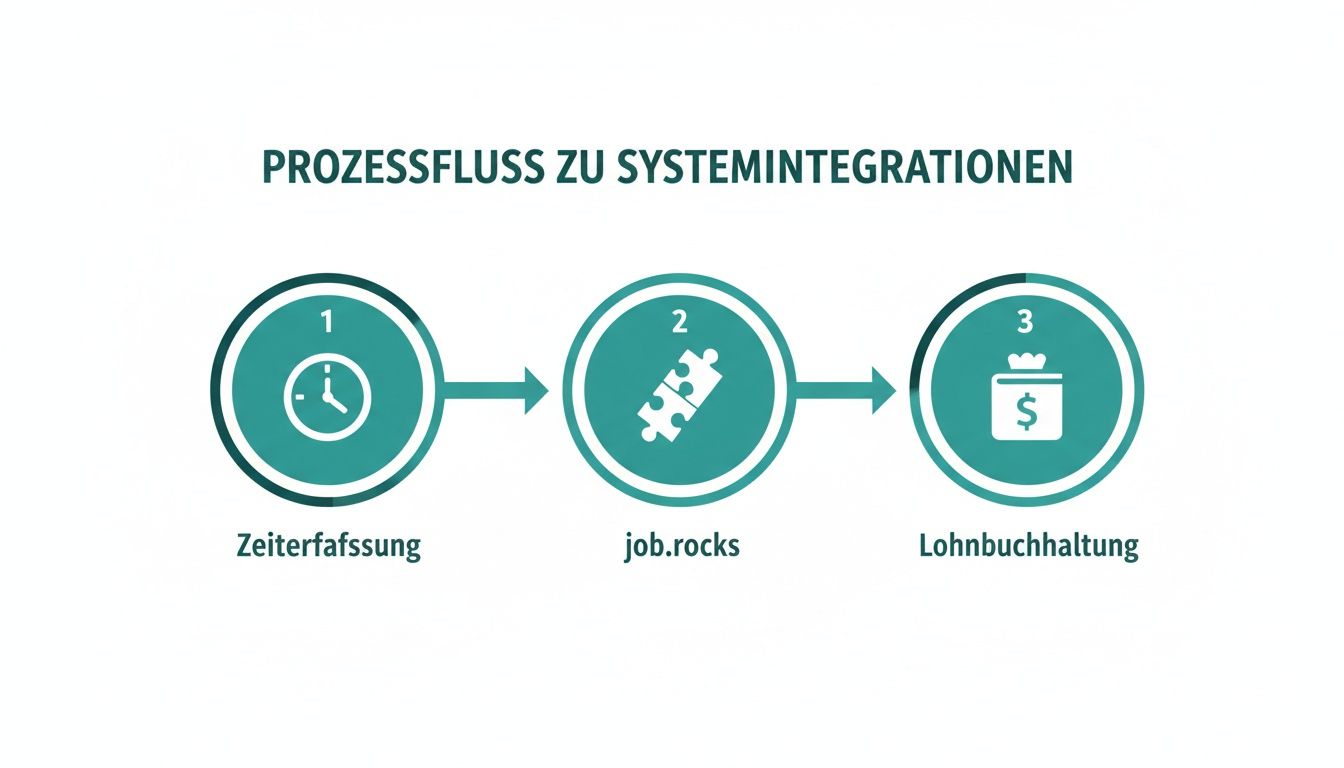
You can see immediately: Manual data transfers are a thing of the past. This not only reduces the error rate but also massively speeds up the entire billing process.
Phase 4: Go-live and optimization
Once the data is migrated, the system configured, and your team trained, nothing stands in the way of going live. Set a clear start date and communicate it to all stakeholders – including your external employees who will soon use the new app.
After the kickoff, fine-tuning begins. Actively seek feedback from your team and make smaller adjustments as needed. The team at job.rocks remains by your side to ensure that you truly leverage the full potential of the platform and achieve your goals.
A system change raises questions – here are the answers
A transition is always a big step. To ensure you know exactly what to expect, we have compiled the answers to the most common questions about the switch from Staffcloud to job.rocks – honestly and directly from our experience.
How long does the transition from Staffcloud to job.rocks take?
This naturally depends on the size of your company and the quality of your existing data. From our experience, we can say: A medium-sized company is usually ready after two to six weeks ready to go.
During this time, everything happens – from the first analysis of your data to the customized configuration of the system to the training of your team and the final go-live. We won't leave you alone; our team will closely accompany you to ensure the transition goes as smoothly as possible.
What costs can I expect?
With us, there are no hidden surprises. The costs are clear and predictable: There is a one-time setup fee for migration and configuration, plus ongoing monthly licensing fees. These are fairly based on the number of employees you actively manage.
Do not see the switch merely as a cost item, but as an investment. You are directly investing in scalability and intelligent automation. This investment often pays off after a short time, as you save administrative work hours and avoid costly planning mistakes.
Do my employees need extensive training?
No, the training effort is pleasantly low. We have developed job.rocks and especially the mobile app so that they almost explain themselves. Of course, there is a targeted briefing for your dispatchers and administrators, focusing on the new, automated workflows.
For your external employees, a short written guide to the new app is usually sufficient. Most find their way around immediately thanks to the intuitive design and love the new freedoms, such as the independent shift exchange. This greatly relieves your planners.
Do I need to be afraid that data will be lost during migration?
No, if we approach the process in a structured way, no important data will be lost. We help you to cleanly export all relevant master data – employee profiles, qualifications, customer information – from Staffcloud and import it into job.rocks.
What we usually do not take along are historical planning data or old shift details. Why? Because they are rarely needed in the new system and only complicate a clean restart. However, we ensure that you can safely export this data for your archive. The focus is on starting with a fresh and current data basis in job.rocks.
Are you ready to make your personnel planning fit for real growth? Discover how job.rocks simplifies your processes and truly makes your company scalable. Book your personal demo now and experience the difference yourself.