
Shift planner online: Digital personnel scheduling and roster software for your team
Get rid of Excel and paper chaos: What an online shift planner really is An online shift planner is the digital command center for your entire personnel planning. It replaces confusing Excel tables and paperwork, bundles everything in one central location and does the planning for you and your team...
Get rid of Excel and paper chaos: what aOnline shift plannerreally is
AOnline shift planneris the digital command center for your entire personnel planning. It replaces confusing Excel tables and paperwork, bundles everything in one central location and makes planning accessible to you and your team at any time and from anywhere.
What an online shift planner means in practice
Imagine no longer having to organize your team's shifts through countless WhatsApp messages, calls and a constantly outdated Excel file. Instead, you have a system that shows you at a glance who can work when, who has the necessary skills for a specific task and whether all legal requirements are being met. This is exactly what a modern online shift planner does.

Essentially, it's about simplifying and automating the entire personnel scheduling process. You switch from a reactive, often chaotic method to a structured and forward-looking approach.
The crucial difference to manual planning
When planning manually, you as the planner are the bottleneck through which all information has to flow. An employee calls in sick via text message, a colleague asks via email about a shift swap, and the availability for next week is left on a note on your desk. You're the one who has to put all these puzzle pieces together by hand and hope not to make a mistake.
An online shift planner turns this principle around. It creates a single, shared place for all information that everyone on the team can access.
- Availabilities:Employees enter their free times independently in the app. You don't have to chase anyone anymore. An example: Your student, who can only go on Tuesdays and Thursdays, blocks the other days. You see that immediately.
- Shift swap:If two team members want to swap shifts, they can request this directly in the system. All you have to do is agree briefly. This means that the barista for the early shift swaps with the colleague from the late shift without you having to mediate.
- Communication:All important information – such as special tasks or customer information – is stored directly in the respective shift and is immediately visible to the assigned person. For example: “Please accept the drink delivery today.”
A good planning tool doesn't take away your control, but rather gives you the right information to make better and faster decisions. It transforms planning from a chore into a powerful, strategic tool.
Comparison: Manual planning versus online shift planner
To make the differences more tangible, a direct comparison helps. The following table shows where the biggest weak points in manual planning lie and how a digital tool solves them.
| feature | Manual planning (e.g. Excel) | Shift planner online |
|---|---|---|
| accessibility | Only on one device; not in real time. | Always up to date, accessible from anywhere via app or browser. |
| communication | Chaotic via text messages, emails, calls. | Centralized in the tool; all information is directly on the shift. |
| Susceptibility to errors | High; manual transmission errors, double bookings. | Minimal; automatic conflict warnings and rule checks. |
| Time commitment | Very high; constant manual adjustments required. | Significantly lower; Automation of routine tasks. |
| transparency | Small amount; Employees often have no current insight. | High; everyone sees their current plan and can interact. |
| Compliance | Manually checking working time laws is laborious. | Automatic checking of breaks, rest periods and laws. |
The table makes it clear that it is not just about a digital copy of the old plan, but about a fundamentally new, better process.
An example from everyday life that you know
Imagine a restaurant on a busy Friday night. Suddenly a waiter calls in sick. When it comes to manual planning, chaos breaks out: the calling around begins. You'll be calling one person at a time to find a replacement, wasting valuable time while business is running at full speed and guests are getting impatient.
With aOnline shift plannerthe situation looks completely different. You mark the open shift in the system as unoccupied. The tool can instantly show you a list of all employees who are availableandhave the necessary qualifications (e.g. experience in service). You release the open shift for this group, and the first person who accepts via the app gets the assignment.
The whole process takes a few minutes instead of half an hour. That's the fundamental difference: You no longer react to problems in a panic, you solve them confidently and based on data.
The core functions of a good shift planner
A really good oneShift planner onlineis much more than just a digital calendar. It's more of an intelligent assistant that helps you get the right people in the right place at the right time - all without having to worry about complex legal rules. Let’s take a look at the features that will really change your everyday planning routine.
Automatically query availability and requests
The biggest time waster in manual planning? The tedious collection of information. Who can and when? Who would like to have time off? A modern system completely turns this process on its head.
Employees simply enter their availability and absence requests into their app themselves. For you, this means no more calling after you. When assigning shifts, the planner immediately shows you who is available and who is not.
Imagine planning Christmas week. Instead of digging through countless emails, you can see at a glance in the system:
- Anna is fromDecember 24th to 26thmarked as absent.
- Ben has his availability for the12/27 from 8 a.m. to 4 p.mregistered.
- Carla has an open holiday wish for him31.12.deposited.
This clarity nips conflicts and frustration in the bud and increases satisfaction in the team because wishes are visibly taken into account.
Use qualifications in a targeted manner
Not everyone can take on every task. You need someone with cashier experience for the late shift in retail or a nursing specialist with special certification for night shifts. This is exactly where qualification filters come into play.
You enter once in the system what skills each employee has. When planning, you can then filter specifically for the necessary knowledge or let the system suggest suitable people directly to you.
An example from healthcare:
For a shift in the intensive care unit, you absolutely need a nurse with additional training in intensive care and a first aider. TheShift planner onlineonly allows you to select personnel for this shift who meet both criteria. This way you can ensure that the staff always meets the technical requirements and avoid dangerous mistakes.
Ensure legal requirements and compliance
Compliance with labor laws, break times and rest periods is a huge responsibility. A mistake can not only be expensive, but can also have legal consequences. A good tool takes this burden off your shoulders.
An intelligent shift planner is your digital protective shield. It proactively warns you about violations of the Working Hours Act, so that you don't even have the embarrassment of publishing incorrect plans.
The system automatically monitors critical points such as:
- Maximum working hours:You will receive a warning if you plan to schedule someone for too many hours.
- Minimum rest periods:The tool prevents you from scheduling a person for an early shift if the statutory rest period after their late shift is not yet over.
- Break regulations:The prescribed breaks are automatically taken into account in the plan.
A crucial function of a good oneShift planner onlineis therefore the automatic monitoring and thatCompliance with statutory rest periodsto avoid costly mistakes.
In Switzerland in particular, the requirements are very precise. The recommendations of the State Secretariat for Economic Affairs (SECO) have a strong influence on the use of online shift planners. Since thenApril 8, 2025There are updated guidelines that are particularly relevant for businesses with uninterrupted operations. SECO recommends fixed, cyclical patterns that a good tool can easily map. You can find more details about this directly atState Secretariat for Economic Affairs (SECO).
Connect time recording and payroll
The best plan is useless if the actual hours worked are not accurately recorded. Many modern shift planners therefore offer built-in mobile time recording. Your employees clock in directly via the app at the start of their shift and clock out again at the end.
The result is a complete and accurate recording of working hours. This data is then the perfect basis for payroll accounting. With just a few clicks you can export the checked hours to your accounting or payroll program. This not only saves a huge amount of time, but also reduces the error rate in wage preparation to a minimum.
What your team and your company get out of it
The decision for oneOnline shift planneris much more than just a technical upgrade - it is an investment in your corporate culture, the satisfaction of your team and ultimately also in your balance sheet. The advantages are not abstract, but rather tangible in everyday working life.
For you as an entrepreneur, the biggest lever is the massive reduction in administrative workload. We know from practice: the time required for duty planning can be reduced by up to80%reduce. This time saved is money and finally gives you or those responsible for planning the freedom to focus on more strategically important issues.
Instead of spending hours comparing availability and laboriously filling gaps, you concentrate on developing your team or supporting your customers. AOnline shift planneris therefore a powerful tool to yourOptimize business processesand increase productivity across the board.
More time and less costs for the company
The direct cost savings come from different corners. Less manual work logically means fewer personnel costs for administration. At the same time, intelligent planning ensures that expensive overtime does not arise in the first place because the system indicates bottlenecks or impending overruns of hourly accounts at an early stage.
Other financial benefits include:
- Reduced error costs:A wrong shift or a violation of labor law can be really expensive. A digital system minimizes these risks.
- Better utilization:You can see at a glance where there is a lack of staff and where you may be overstaffed. This means you can use your resources in a much more targeted manner.
- Lower fluctuation:Satisfied employees stay longer. This reduces the costs for recruitment and training enormously.
More autonomy and satisfaction for your team
A digital shift plan brings a completely new form of clarity and flexibility for your employees. Constant access to your own, always up-to-date roster via smartphone creates clarity and ends the time of misunderstandings. No one has to make a phone call or decipher an outdated note in the break room anymore.
A transparent and fair planning process is one of the greatest levers for employee satisfaction. When your team feels that their needs are being taken seriously, motivation increases noticeably.
In particular, the opportunity to actively participate in planning fundamentally changes the way we feel at work.
A practical example from logistics:
An employee in the warehouse realizes that he cannot start an assigned early shift due to a private appointment. Instead of calling you as a planner, he opens the app, releases the shift for swapping, and a colleague who would like to work earlier takes over with one click. You just receive the notification that the exchange has been approved – that’s it.
This self-determination is worth its weight in gold. Employees can balance their work with their private life much better, which directly improves the work-life balance.
The advantages at a glance
In summary, a clear win-win situation arises. The following table compares the most important benefits for companies and employees.
| Benefits for the company | Benefits for the team |
|---|---|
| Significantly less time spent on planning. | Access to the current roster at any time via the app. |
| Reduction of overtime and personnel costs. | Easy digital shift swapping with colleagues. |
| Better regulatory compliance. | Transparent vacation and absence planning. |
| Higher planning quality and fewer errors. | More autonomy and flexibility in everyday work. |
| Lower employee turnover. | Better work-life balance. |
In the end, your company runs more smoothly and more cost-effectively, while your team is more motivated and satisfied - a strong basis for sustainable success.
Choose the right online shift planner
The market for digital tools is huge, but not every solution automatically fits the processes in your company. Choosing the right online shift planner is therefore a crucial step. This guide will provide you with a practical checklist to help you make an informed decision.
It's not about finding the tool with the most features. It's about finding the one thatyourbest solves specific problems. A seasonal business like an ice cream parlor has completely different requirements than a hospital with three shifts.
Your checklist for making the right choice
Before you jump into demos and sales discussions, you should clearly define your own needs. The following points will help you keep track and separate the wheat from the chaff.
- Ease of use:Is the interface tidy and understandable? Remember, your entire team has to work with it - from digital professionals to those who don't like technology. Complicated software quickly becomes a burden instead of a help in everyday life.
- Scalability:Is your company growing? The shift planner must be able to grow with you. A flexible system adapts, regardless of whether you are today15or in a year50employees plan.
- Mobile app:A large part of your team will use the planner on their smartphone. Check whether the mobile application is easy to use and offers all important functions such as shift swapping, availability reporting and time recording smoothly.
- Integrations:Can the planner be connected to your existing systems? A clean interface to payroll accounting is often the most important criterion for reducing administrative effort to a minimum.
A clear and tidy user interface is often the first sign of a well-thought-out tool.
This screenshot shows a clear weekly view in which shifts, employees and open positions are clearly visible - a good example of an intuitive planning interface.
Understand and compare pricing models
The cost of oneOnline shift plannercan vary greatly. It's important to know the different pricing models to find the right one for your budget and needs.
Common models are:
- Per user per month:You pay a fixed amount for each active employee in the system. This model is transparent and easily scalable, ideal for companies with a stable number of employees.
- Subscription packages:Here you buy a package for a certain number of users (up to 50 employees). This can be cheaper if you are close to the upper limit of the package.
- Flexible models:Some providers that specialize in industries with fluctuating staffing needs (such as events or catering) offer flexible pricing. Here you may only pay for the people you actually plan to pay in a month.
Hidden costs are a common annoyance. When making your selection, pay close attention to whether there are additional fees for setup, support or important interfaces. An offer that seems cheap at first glance can quickly turn out to be expensive.
The underestimated factor: customer support
Especially in the initial phase, when you are introducing the system and training your team, you will have questions. Good, quickly accessible customer support is worth its weight in gold during this time.
Check in advance which support channels are offered (phone, email, chat) and when they are available. Is there a knowledge base or video guides to help your team get started? A good partner won't leave you alone after signing the contract.
The growing importance of digital solutions for companies is also reflected in the increasing investments. For 2025, the IT services market in Switzerland is expected to generate sales of around14.33 billion eurosreached. This trend shows the need for reliable and well-supported systems like oneOnline shift plannerto invest. More about theYou can find out about the development of the Swiss IT market at de.statista.com.
The successful introduction into your company
A new tool is only as good as how it is accepted and used by your team. The best software is of no use if it encounters resistance or is used incorrectly. That's why a thoughtful introduction is key to unlocking the full potential of your newShift planner onlineto exploit.
The whole process can actually be divided into three clear phases: thorough preparation, the careful setup of the system and the accompanied starting signal in the team. If you follow these steps, you will lay the foundation for a smooth transition and high acceptance from day one.
Phase 1 The right preparation
Before you even make a single click in the new system, the most important work begins. You have to clearly define which specific problems the new shift planner should solve. Is it primarily about saving time when planning? Do you want to avoid expensive overtime? Or is there simply a need for more overview for the employees?
Very important: get key people on board right from the start. This can be a particularly committed team leader or a technology-savvy employee who can later serve as a contact person for colleagues. These “champions” are worth their weight in gold – they help you understand the mood in the team and naturally promote the new tool.
This infographic shows the basic process for finding the right shift planner, which is the first step in your preparation.
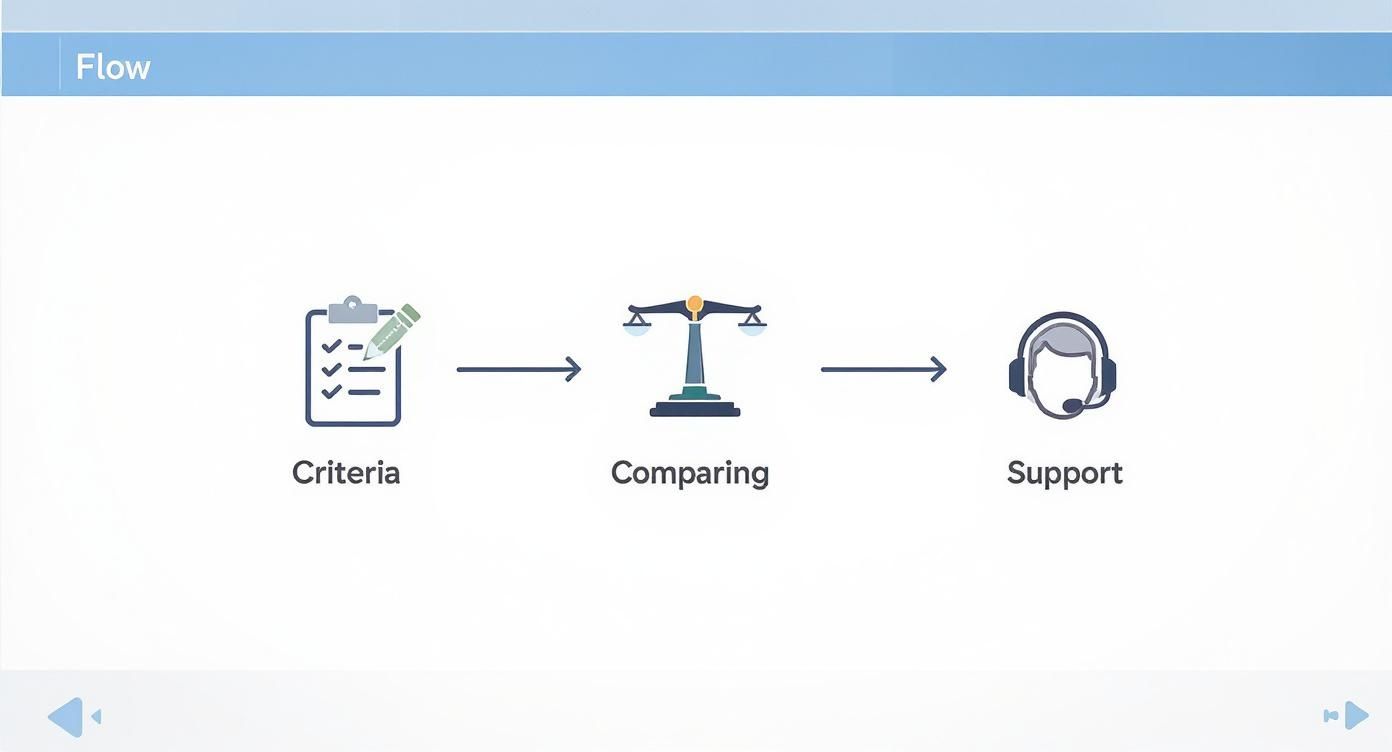
The graphic makes it clear: the selection should be based on clear criteria, a careful comparison and checking the support. This makes later introduction much easier.
Phase 2 Setting up the system
Now it's getting concrete. In this phase you set it upShift planner onlineso that it perfectly reflects the reality of your business. This means that you create all relevant master data – cleanly.
These typically include:
- Employee profiles:Create a profile for each person with contact details, contractual working hours and, above all, their individual skills.
- Locations and departments:Define the different work areas so that you can assign the staff specifically. After all, a large hotel has different areas than a small boutique.
- Qualifications and Roles:Describe who can and is allowed to do what. Who is a first responder? Who is allowed to operate the cash register? Who speaks French fluently?
Make sure you take enough time for this step. The more precisely the data is maintained here, the easier, faster and more error-free subsequent planning will be.
The most common adoption mistake is rushing setup. A system that starts with incomplete or incorrect data creates frustration from day one and undermines your team's trust.
Phase 3 The start in the team
The introduction itself is the moment of truth. Communicate openly and honestly why you chose the new tool. Don’t just focus on the benefits for the company, but above all on the improvements for each individual employee.
A simple example:Instead of saying, “This saves us administrative costs,” explain it like this: “From now on, you can always see your roster live on your cell phone, swap shifts directly with colleagues and submit your vacation requests with one click.” This is tangible and positive.
Instead of converting the entire company straight away, start with a pilot group. Select a department or small team and test the new process for two to four weeks. The feedback from this group is extremely valuable in eliminating any teething problems before you roll out the shift planner across the entire company.
The digitalization of processes such as shift planning is becoming increasingly important in Switzerland. According to the 2025 monitoring report on digital administration, there are already79%of the government services examined are available online, which shows the general trend towards digital solutions. You can find out more about the progress of digital administration in Switzerlandread here.
Measure the success of your shift planner
An investment in a new oneOnline shift planneris one thing. But how do you know if it really pays off? Gut feeling is not enough here – success can be measured in clear numbers. It's about determining the return on investment (ROI), i.e. the specific added value you get from this decision.
The trick is to simply look at what has changed since the tool was introduced. There are hard, financial metrics and softer factors, but they are at least as important. Only the two together create a complete picture.
Hard facts: The most important key figures
Let's start with the numbers that are directly reflected in your balance sheet. These key figures are relatively easy to collect because you can make a crystal-clear before and after comparison.
- Reduced planning time:That's the most obvious win. Stop the time you or your planners spent on scheduling each week before the launch. Compare this value with the effort after a few weeks with the new tool. Every hour saved is a direct cost benefit.
- Reduced overtime costs:A good oneOnline shift plannerhelps you cover staffing needs much more accurately. Analyze the overtime payouts from the three months before the introduction and put the values from afterwards next to them. These costs often fall drastically because the system warns of bottlenecks at an early stage and you no longer over-plan blindly.
- Fewer short-term outages:Keep an eye on how often shifts suddenly went unfilled or you had to call in expensive external staff. Smart planning and simple exchange options for employees noticeably reduce these “firefighting operations”.
The true value of a planning tool is not only reflected in the time saved, but above all in the avoidance of expensive mistakes. Every unfilled shift and every incorrectly planned overtime costs you money – and nerves.
Soft factors: Keep an eye on employee satisfaction
Financial gain is only one side of the coin. At least as important is how the new system is received by your team. Satisfied employees are more productive and stay with your company longer, which in turn saves expensive recruiting costs.
But how do you measure satisfaction?
It’s simple: ask your team. Short, anonymous surveys are an extremely effective tool. After a few months, ask specific questions about the new planning:
- How easy do you find it to view your roster on your phone?
- Do you now feel more involved in planning your working hours?
- How well does the digital shift swap work for you in everyday life?
Rate the answers on a scale from 1 to 5. Even a small improvement in the average score is a big success. It is the best sign that the new system is really being implemented and accepted in everyday life.
A practical calculation example
Imagine a manufacturing company50 employeesbefore. So far the department head has been beaten10 hours per weekinvested in manual shift planning. His hourly wage is 45 CHF.
- Old planning costs:10 hours/week × 45 CHF/hour × 52 weeks =23,400 CHF per year
With the new shift planner, this effort is reduced to just2 hours per week, because a lot of things happen automatically.
- New planning costs:2 hours/week × 45 CHF/hour × 52 weeks =4,680 CHF per year
The company saves money just by saving time18,720 CHFyearly. If you add reduced overtime and fewer production downtimes due to planning errors, a five-figure amount can quickly be justified. This makes the ROI tangible and the investment a matter of course.
Frequently asked questions about online shift planners
You now have a good overview of the world of digital shift planning. Nevertheless, there are usually still a few open points before you decide on oneShift planner onlinedecides. Here we clarify the most common questions that we come across again and again in everyday life so that you can make a safe decision.
How secure is my employee data in the cloud?
This is one of the most important questions of all, and the concern is absolutely justified. After all, this is about sensitive personnel data. Reputable providers of online shift planners take the issue of security and compliance with the General Data Protection Regulation (GDPR) extremely seriously.
As a rule, your data is stored on highly secure servers within Europe, often directly in Switzerland. When making your choice, make sure that the provider provides transparent information about its server location and the security measures taken. This includes end-to-end encryption of data during transmission and storage as well as regular security audits.
A good provider does not see data protection as a burdensome obligation, but rather as a central quality feature. Your data is often even safer with it than on a local office computer, which may not be optimally protected against unauthorized access.
How long does it take to introduce such a system?
The duration depends largely on the size of your business and the complexity of your planning. For smaller teams with up to20 employeesThe entire setup is often completed in a single day. You create the employee profiles, define the first shift templates and can basically get started straight away.
For larger companies with multiple departments or locations, you should realistically expect one to two weeks. This time is needed to set everything up properly and train the key people. Most of the time is spent carefully recording master data, such as qualifications and working time models.
Is an online shift planner also suitable for small businesses?
Absolutely! Small companies in particular benefit enormously from the time savings and professionalism that such a tool brings with it. You don’t have to have a huge team to feel the benefits. Even with a team of five people, the reduction in administrative effort is clearly noticeable.
Many providers also have special pricing models for small businesses or start-ups, which are based on the number of employees. This way you only pay for what you really need. AShift planner onlineis definitely not just a corporate tool, but a smart solution for anyone who wants to use their staff fairly and with little effort.
Are you ready to take your workforce planning to the next level?job.rocksoffers you all the tools you need for employee-friendly shift planning with little effort. Discover now how you can save time and strengthen your team:https://job.rocks.