
Construction staff planning: plan sites, teams and materials better
Construction staff planning coordinates people, qualifications, equipment, materials and working hours so your site runs smoothly without idle time or unclear responsibilities.
Operations planning in the construction industry means coordinating personnel, qualifications, equipment, materials and working hours so that your construction site runs without idle time. That's exactly what this guide is about: How to plan construction sites digitally, cleanly and practically - without Excel chaos, missing information or unclear responsibilities.
💡 Short version: What does deployment planning mean in the construction industry?
The Operations planning in the construction industry coordinates personnel, qualifications, working hours, equipment and material flows for a smooth project process. It includes:
- Personnel planning: Who works when and where?
- Qualification management: What certificates and skills are available?
- Materials management: What is needed, when and how is it stocked?
- Time recording: How are hours documented and billed?
Operations planning in the construction industry: The most important things in brief
- Plan not only personnel, but also equipment, materials and approvals. These things are directly related on the construction site.
- Record qualifications centrally. This means you can immediately see who can be scheduled for crane, electrical, scaffolding, safety or special tasks.
- Work with mobile updates instead of Excel chains. Short-term changes must reach the team immediately.
- Combine deployment planning with time recording. This is the only way to get reliable target/actual data for subsequent calculation and evaluation.
- Use clear rules for failures. Substitutes, knights and priorities belong in the process - not in the foreman's head.
| approach | Works well at | Typically breaks at |
|---|---|---|
| Whiteboard/paper | Small teams on a construction site | Parallel projects, absences and a lack of transparency |
| Excel | Simple weekly plans without many changes | Versions, mobile feedback, qualification and material reference |
| Digital construction software | Growing teams, multiple construction sites, clean controlling | Only if processes remain unclear internally |
Why your construction site needs professional operational planning
You probably know this: the project starts, but personnel planning feels like an unsolvable puzzle. An important crane operator suddenly calls in sick, the electrician has not yet been cleared for the construction site and suddenly an entire team is missing because availability was not properly recorded. Such gaps inevitably lead to expensive delays and frustrated employees.
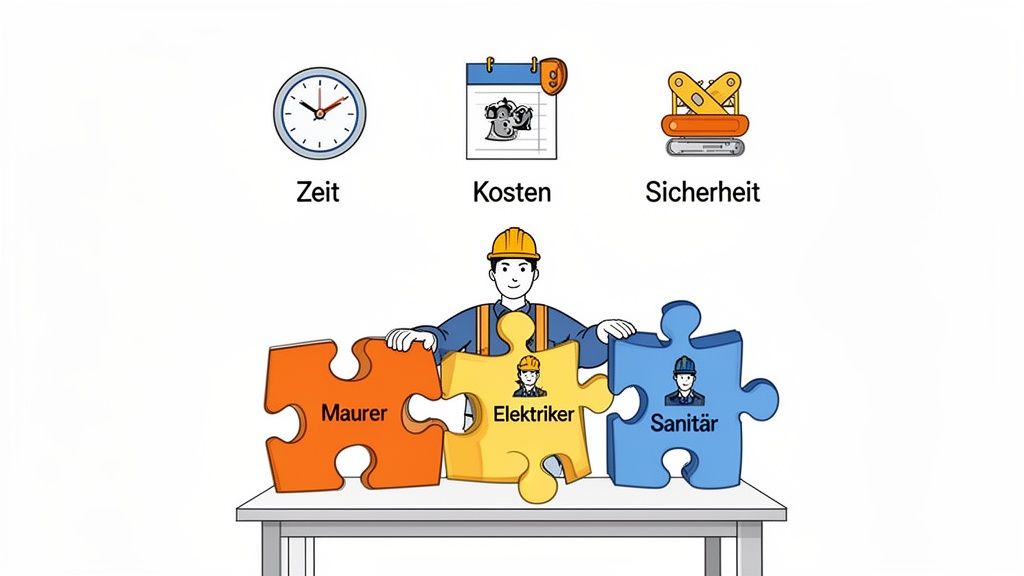
Well thought-out deployment planning goes far beyond filling shift schedules. It is a strategic tool that can make the difference between profit and loss at the end of the day.
Even a few planning errors in construction are enough to postpone deadlines, trigger additions and cause unnecessary idle costs. This is precisely why deployment planning in the construction industry is not a nice-to-have, but rather a mandatory operational process.
The shortage of skilled workers is an additional hurdle
The shortage of skilled workers in the construction industry increases the pressure even further: qualified specialists are scarce, projects run in parallel and spontaneous failures affect teams immediately. This makes planning that makes availability, qualifications and replacement options centrally visible.
If qualified personnel are already in short supply, you simply cannot afford to use the available resources incorrectly. Precise qualification management therefore becomes a decisive factor. Just imagine scheduling a certified welder for a critical job, only to find that his certificate expired last week. Such errors not only cost time, but also jeopardize security and regulatory compliance. A good one Operations planning on the construction site helps you avoid such mishaps from the start.
If there are gaps in the planning, the consequences are usually noticeable and expensive. The following table shows typical problems and their direct effects:
| problem | Direct result on the construction site | Potential financial impact |
|---|---|---|
| Wrong qualifications | Work cannot be carried out; Security risk. | Contractual penalties, rework, insurance problems |
| Staff shortage | Construction phases are delayed; Standstill of other trades. | Idle costs, contractual penalties |
| Double booking | One employee is scheduled for two construction sites at the same time. | Chaos, improvisation, falling productivity |
| Expired certificates | Work is stopped; legal consequences. | Fines, project interruption |
| Material is missing | Staff is available but cannot work. | Idle costs, delivery delays, additional costs |
As you can see, small mistakes in planning quickly lead to a costly chain reaction that endangers the overall success of the project.
More than just saving costs
Cleanly structured planning also has a direct impact on your team. When employees receive clearly communicated plans, know exactly what is expected of them and see that their qualifications are being used in a targeted manner, satisfaction increases. Less chaos means less stress – and that leads to a safer work environment for everyone involved.
Careful operational planning is the basis for every successful construction project. It helps you complete your projects on time and within budget. In our comprehensive guide to Operations planning You can find further tips on how you can improve your planning processes.
Laying the foundation: your personnel and qualification planning
A solid one Operations planning on the construction site doesn't start on Monday morning, but long before the groundbreaking ceremony. It starts with a clean analysis of your actual needs. This is the only way to create a stable foundation that will support your project even if something unforeseen happens.
The first step is always to break down your construction project into its individual phases and trades. Instead of just making a rough estimate, go into detail here.
Imagine you are planning a new house. Your project is divided into sections such as shell construction, interior work and outdoor facilities. Each of these phases requires different teams with specific skills - and they must be perfectly coordinated with one another.
Needs analysis using a concrete example
Let's take the shell as an example. You don't just need "construction workers" here, but specific specialists at specific times.
- Week 1-3 (Foundation and Basement): For this phase you need a well-rehearsed team four formwork builders and two ironlayers. Parallel to this is a Crane operator essential with a valid license for the tower crane.
- Week 4-8 (bricklaying work): As soon as the cellar is in place, a column of people takes over six bricklayers. It is important that at least one of them has the qualifications as a foreman to lead the team on site.
- From week 9 (roof truss): Come now three carpenters for use. However, your work can only begin when the top floor has been concreted and hardened - a classic dependency in planning.
This detailed planning shows you clearly when you need which qualifications. In this way, you prevent expensive specialists from standing idle on the construction site or, even worse, from important work coming to a standstill due to a lack of staff.
Manage qualifications centrally and digitally
A simple list of names is no longer enough today. Each person brings a bundle of skills, certificates and credentials that are relevant to the Operations planning on the construction site are crucial. Without a central system, you can quickly lose track of things.
The key is to capture all relevant information digitally and have it available at all times for planning. This is the only way you can ensure that only employees with valid certificates are assigned to safety-relevant tasks such as welding work or driving construction machinery.
A digital qualifications database should record at least the following points for every employee - whether permanent, temporary or freelance:
- Certificates and licenses: In particular the validity dates for welding licenses, crane driving licenses or safety instructions.
- Language skills: Absolutely crucial for smooth communication in multilingual teams and compliance with safety instructions.
- Special knowledge: Special skills, such as operating rare machines or experience with certain building materials.
- Operation history: On which projects and in which roles has the person already worked successfully?
Modern software solutions can even automatically remind you of expiring certificates. That's worth its weight in gold. This way you can plan the necessary training in good time and avoid unpleasant surprises if an important employee suddenly fails because a license has not been renewed. This care not only protects your project, but also your company from legal consequences.
Materials management on the construction site: The second pillar of operational planning
Even the best team cannot work if the material is missing. A well thought out one Operations planning on the construction site therefore must Personnel and material synchronized coordinate. Both mesh like gears - and if one wheel stalls, the entire machine comes to a standstill.
Why material planning is crucial
Imagine: Your bricklayer crew is ready, but the mortar has not been delivered. Or the electricians are waiting for cable ducts that won't arrive for another three days. Such situations are not only frustrating, they cost money. Wage costs continue, but no productive work is being done.
Studies show that up to 20% of the construction site costs caused by uncoordinated material logistics. Waiting times, incorrect orders and warehousing all add up quickly.
The four core elements of construction site materials management
1. Needs assessment and material lists
You need a precise one for each construction phase Material list, which is coordinated with human resources. If you know that the bricklaying work will start in week 4, you need to make sure that bricks, mortar, insulation and all other materials are available on time.
Practical tip for Swiss construction sites:
- Work with one 3 week preview for material orders
- Take delivery times into account (Swiss suppliers often 5-10 working days)
- Plan buffer times for specialized building materials (e.g. natural stone, custom-made products)
2. Just-in-time delivery vs. warehousing
On tight construction sites – especially in urban areas such as Zurich, Basel or Geneva – space is at a premium. Here is this Just-in-time principle Worth its weight in gold: materials are delivered exactly when they are needed.
Advantages:
- Less storage space required
- Reduced risk of theft and weather
- No capital tied up through excessive stockpiling
Disadvantages:
- Higher risk of delivery delays
- Dependence on suppliers
- Often higher transport costs due to smaller batches
For critical materials such as concrete, which cannot be stored for long periods of time, just-in-time is essential. It is often worth keeping a small amount in reserve for standard materials such as screws, dowels or small parts.
3. Digital material tracking
Who has never experienced material “disappearing” somewhere on a construction site? With a digital system for Material tracking you keep track of:
- Document receipt of goods: Scan QR codes or barcodes upon delivery
- Track storage location:Where is which material? (Container 1, construction site north, etc.)
- Record consumption: Which trade took how much material?
- Monitor inventory: Automatic low stock alerts
Modern construction site apps enable foremen to document material removals directly from their smartphone. This saves time and prevents waste.
4. Coordination between construction progress and material flow
The art of materials management lies in... Construction progress with that Material flow to synchronize. A practical example:
| Construction phase | Human resources | Required material | Delivery date |
|---|---|---|---|
| Week 4: Ground floor masonry | 6 bricklayers, 1 foreman | 15 pallets of bricks, 2 tons of mortar, insulation boards | Day 1 of the week |
| Week 5: false ceiling | 4 formwork builders, 2 iron layers | Ceiling formwork, reinforcing steel, 40 m³ concrete | Day 1-2 of the week |
| Week 6: Upper floor | 6 bricklayers, 1 foreman | 20 pallets of bricks, 3 tons of mortar | Day 1 of the week |
This table clearly shows: personnel and material planning are inextricably linked. If your dispatcher keeps both aspects in mind, you will avoid idle time and ensure that your budget is not eaten up by unnecessary waiting times.
Practical example: Renovation in downtown Zurich
A practical example: When renovating an old building in Zurich, only a 10 m² area was available for material storage. The solution? A precisely timed delivery plan:
- Monday 7:00 a.m.: Delivery of plasterboard and profiles for drywall construction (planned consumption: 2 days)
- Wednesday 7:00 a.m.: Delivery of insulation and electrical material
- Friday 7:00 a.m.: Delivery of screed material for the following week
The result? Zero delays, no lack of space, and the costs remained within reasonable limits. But this only works if the use of personnel and materials are perfectly synchronized.
Checklist: Material planning on the construction site
Use this checklist to optimize your materials management:
📋 Materials management checklist
- ☐ Needs analysis: Material requirements documented for each construction phase?
- ☐ Supplier coordination: Delivery dates synchronized with the construction schedule?
- ☐ Storage area: Is there enough space for temporary storage?
- ☐ Access routes: Delivery also possible for trucks? Pay attention to the time window?
- ☐ Responsibilities: Who is responsible for receiving goods and issuing materials?
- ☐ Documentation: System for tracking materials and consumption in place?
- ☐ Emergency plan: Alternatives defined in the event of late delivery or incorrect deliveries?
Create flexible shift schedules and communicate within the team
Daily shift planning is the pulse of your project. Rigid Excel tables have long been outdated, because flexibility is the be-all and end-all on a construction site. Your goal must be planning that not only meets the requirements of the project, but also responds to the wishes and needs of your team.
A modern one Operations planning on the construction site brings exactly these two worlds together. Of course, you have to ensure that all legal requirements such as working time laws and break regulations are adhered to at all times. But at the same time, you create a fair working environment by giving your team an easy way to report requests and availability.
Away from Excel and towards dynamic planning
Imagine you are planning the coming week for a critical concrete work. Instead of having to laboriously move names back and forth in a table, you work with a system that immediately shows you who is available and has the right qualifications. If a foreman is unavailable at short notice, the system will suggest suitable alternatives at the push of a button.
This approach saves a lot of time and minimizes human errors. You can run through different scenarios and immediately see how they affect your budget and timelines.
The real benefit of flexible planning lies in the ability to react. If a delivery person is late or the weather is bad, you can adjust shifts with just a few clicks instead of spending hours on the phone.
Communication is key
The best plan is of no use if the information doesn't reach your team. Everything is decided here. How do you ensure that every employee is informed quickly and reliably about changes? Private messenger groups are taboo for data protection reasons and usually only lead to information chaos.
A central, digital platform is the solution here. Let's take a look at this using a mobile app as an example:
- Manage availabilities yourself: Your people can enter when they are available or request vacation directly in the app. Collecting notes and messages is completely eliminated.
- Shift swapping between colleagues: You set the rules under which employees with the same qualifications can swap shifts with each other. The system automatically checks whether everything fits and you just approve the exchange.
- Automated notifications: Whenever there is a change to the plan, the affected employee receives a push notification directly on their smartphone. Misunderstandings are a thing of the past.
This transparent process takes an administrative burden off your shoulders. At the same time, you give your team more control and flexibility - and that increases motivation and satisfaction.
The construction industry is a huge economic factor. In 2021, the gross value added in the Swiss construction industry was 34.32 billion CHF. For large projects such as the 165 ongoing construction sites in Zurich alone, precise resource planning is essential in order to remain competitive. Find out more about the Trends in the Swiss construction industry and how digital tools improve management.
Time recording and controlling for full cost control
A good plan is only half the battle. If you don't know exactly which hours are actually worked and assigned to which project, you quickly lose financial control. Modern, digital time recording is therefore not a luxury, but an indispensable tool for success Operations planning on the construction site.
Switching from crumpled timesheets to digital systems is a big step, but one that quickly pays off. Manually transcribing handwritten notes is not only tedious but also extremely error-prone. An incorrect number or illegible writing can lead to hours of corrections in payroll at the end of the month. A nightmare for anyone who has ever tried to understand incorrect billing.
Which time recording method suits your construction site?
Today there are various ways to digitally record working hours on the construction site. Each method has its own strengths and is suitable for different project sizes and team structures. There is no perfect solution, but there is the best solution for your project.
Let's take a closer look at the most common options:
Comparison of time recording methods on the construction site
Choosing the right method depends largely on the size of your construction site, the technical affinity of your crew and the desired level of control. The following table gives you a quick overview.
| Method | Advantages | Disadvantages | Ideal for |
|---|---|---|---|
| Mobile time clock via app | Very flexible, precise (GPS geofencing), no additional hardware required | Requires a smartphone, possibly acceptance problems with older employees | Dynamic, changing or small to medium construction sites |
| Stationary terminals | Robust, tamper-proof (chip/fingerprint), no private devices required | Fixed installation, less flexible, initial hardware costs | Large, long-term construction sites with a fixed location (e.g. construction containers) |
| Subsequent recording by foreman | No effort for employees, easy to use | Prone to errors, delayed, requires great trust and discipline | Small, well-rehearsed teams where an app solution cannot be implemented |
No matter which method you choose, the biggest benefit is the immediate digital availability of the data. The hours go directly to the right project and the right cost center. This clean data basis is the foundation for controlling that deserves its name.
The following overview summarizes the core elements of modern shift planning - it's all about flexibility, mobile communication and transparency.
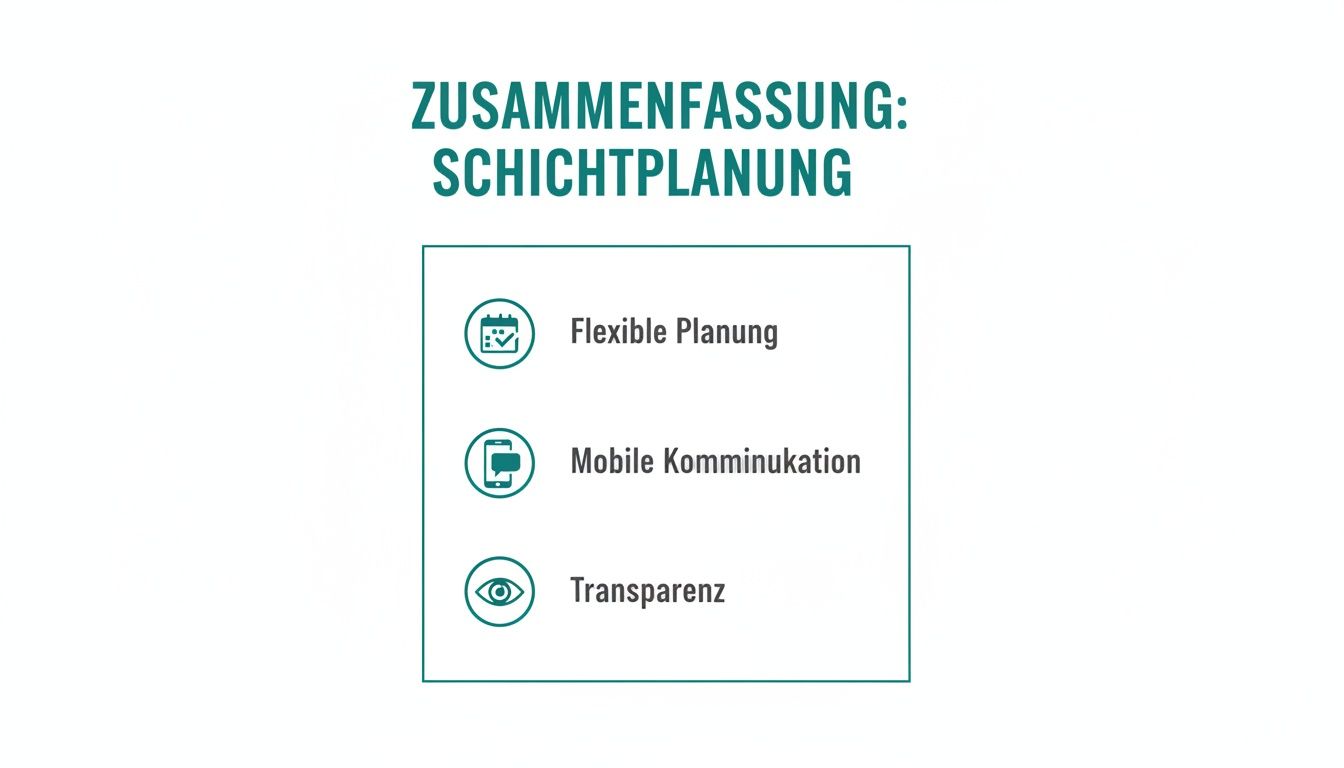
These three pillars will help you increase efficiency, make the team happier and ultimately keep project costs under control.
Keep an eye on the right key figures
With real-time data, you can finally manage proactively instead of just reacting to problems. But don't get lost in a flood of numbers. Focus on a few but meaningful key performance indicators (KPIs).
The classic target/actual comparison of hours worked per trade is your most important indicator. If after half the time you already 75% When you have used up the planned hours for the shell construction, you immediately know that something is going terribly wrong.
Imagine you are managing the expansion of an office building. Your planning sees 400 working hours for the electrician team. After two weeks, your system will issue a warning: 300 hours are already booked, but only 50% who gets the work done. Thanks to this real-time information, you can act immediately. You talk to the foreman, analyze the causes - perhaps there were unforeseen problems with old pipes - and adjust the plan before the budget is completely blown. Without digital time recording, you would only notice the problem at the end of the month during payroll. And then it's too late.
Other KPIs to keep an eye on:
- Productivity per trade: How many hours do you need per completed unit? (e.g. per square meter of laid screed)
- Overtime rate: Keep an eye on overtime per employee and team to identify overload at an early stage.
- Sick leave: A high level of sickness absence can be a warning sign of problems with work safety or excessive workload.
- Material consumption vs. plan: Where was more material used than planned? (Indication of waste or planning error)
Clean data collection is the basis for every good decision. If you're just starting out and looking for a simple solution, you'll find a practical one here Template for recording working hours, which makes it easier for you to get started.
Have legal aspects and data protection firmly under control
With everyone Operations planning on the construction site Not only do you juggle shifts and qualifications, but you also operate within a clearly defined legal framework. The whole thing is not a chore, but rather your protective shield - it protects you, your company and your team.
Data protection in particular immediately comes into focus as soon as you touch your employees' personal data.
The Swiss Data Protection Act (DSG) and the European GDPR are unambiguous here. The golden rule is: You can only save what is absolutely necessary for planning and billing. This includes name, qualifications, contact details and recorded working hours. Private hobbies or other personal details have no place in the planning software.
Manage employee data correctly and securely
Especially on construction sites, sensitive personnel and time data is often exchanged between construction management, scheduling and administration. That’s why your solution needs clear roles, clean documentation and a comprehensible process. You can find official guidance on working conditions and obligations at SECO as well as in Federal SME portal.
You are responsible for protecting this data. There must be clear rules about who can see what. Only authorized people – you as the dispatcher or the human resources department – should have access to sensitive information. Modern planning software is your best friend here because it lets you define different user roles and access rights. This means that a construction worker only sees his own operations, while you maintain a complete overview.
Communication via private channels is an absolute minefield. Want to quickly create a WhatsApp group for shift planning? A clear no-go. Here, private phone numbers and other personal data are shared completely uncontrolled, which is a direct violation of data protection guidelines. Instead, rely on professional tools with a secure, integrated communication function. You can find out how to communicate in a legally compliant manner in our Guide to SMS and text messaging in the workplace.
Also think about the deletion deadlines. If an employee leaves the company, their personal data must be completely and demonstrably deleted after all legal retention periods, for example for payroll accounting, have expired.
Keep an eye on labor law requirements
In addition to data protection, labor law is your second guardrail. The labor law clearly regulates maximum working hours, break regulations and rest periods. Manually remembering these specifications in complex shift schedules is not only tedious, but also extremely error-prone.
A good software for that Operations planning on the construction site takes this mental ballast away from you. The system automatically sounds an alarm if you schedule an employee for too long or if the legally required rest period between two shifts is not met.
Always keep these key points in mind:
- Maximum working hours: In Switzerland, depending on the industry, the maximum weekly working hours are usually 45 or 50 hours.
- Daily rest time: Every employee is entitled to an uninterrupted rest period of at least 11 hours to.
- Night and Sunday work: Particularly strict protective regulations apply here, which often require separate permits.
Another point that is often overlooked is the noise protection requirements. In order to avoid trouble with residents and authorities, a clean one is required Documentation of noise emissions often unavoidable.
If you comply with these rules, you not only create legal security for the company. You also ensure a fair and healthy working environment, which has a direct impact on the motivation and performance of your team.
The most burning questions about deployment planning in the construction industry
If user after Operations planning in the construction industry When looking, they usually mean three things at the same time: assigning staff correctly, communicating changes quickly and clearly documenting times/performances. This is exactly what your solution should be aimed at.
The same questions arise again and again when it comes to operational planning on construction sites. Here I have summarized the most common stumbling blocks for you - and of course how you can cleverly remove them.
What is the biggest mistake in personnel planning?
By far the biggest and most expensive mistake is purely reactive planning. Many dispatchers only act as fire departments: They plug holes caused by short-term failures or unforeseen problems instead of acting proactively. Without a clean needs analysis and a digital overview of your team's qualifications, planning becomes daily chaos.
Imagine this: a construction manager laboriously maintains his teams in an Excel list week after week. If a foreman with a welding license suddenly fails, things get hectic. Who can do that? Who has the necessary certificates? The phone is glowing while there is a standstill on the construction site - and that costs a lot of money.
How do I deal with last-minute plan changes?
Last-minute changes in construction are not the exception, but the rule. What matters is not whether they happen, but like You react to it. The key is quick, clear communication. Forget unreliable call chains where at the end no one knows what applies.
A digital system is your ace in the hole here. When you adjust a shift, not only the employee sees the change immediately on their cell phone. At the same time, time recording and payroll accounting are also automatically updated. This saves questions and corrections.
How do I optimally coordinate personnel and materials?
The biggest challenge is this Synchronization. Use a common planning platform that contains both personnel and material data. This is how you can see at a glance:
- Which team works when?
- What material is needed for this?
- Is the material available on time?
A weekly coordination meeting between construction management, dispatchers and warehouse management has proven itself in practice. The coming week will be reviewed there and bottlenecks will be identified early on.
Do I have to buy expensive software for deployment planning?
Not necessarily. For very small teams with manageable projects, a well-maintained template may be sufficient at the beginning. But be honest with yourself: As soon as you manage several construction sites at the same time, schedule external people or have to keep an eye on complex qualifications such as certificates, such isolated solutions are the direct path to ruin.
Calculate the administrative effort: the hours you spend manually maintaining lists, comparing availability and correcting errors are often more expensive than specialized software. Modern systems now have flexible pricing models that are also feasible for smaller companies.
How do I convince my team of a new digital tool?
The best way is to focus on the benefits for the employees themselves. It's not just about what it is Dir brings, but how it them makes everyday life easier.
- Finally clarity: Everyone can see their current plan on their own smartphone at any time. No more guesswork.
- More flexibility: Reporting availability or swapping a shift becomes child's play and fair for everyone.
- Fair planning: A system ensures that assignments and overtime are distributed comprehensibly and fairly. That creates trust.
My tip: Start with a small, technology-savvy team as a pilot project. When colleagues notice how well it works, they will be the best ambassadors to get even the biggest skeptics on board.
The 5 most important tools for operational planning in the construction industry
Most construction companies combine several tools. What matters is not whether a tool looks fancy, but whether it works reliably in everyday construction site life and whether changes reach the team quickly.
| tool | What it's good for | Where there are limits |
|---|---|---|
| Whiteboard | Quick overview in the office | Not mobile, no history, no evaluation |
| Excel/Google Sheets | Flexible, simple weekly planning | Versions, media breaks, lack of live communication |
| Chat + phone | Quick coordination in an emergency | Poor documentation, information is lost |
| Time tracking | Clean target/actual data and post-calculation | Not a real disposition on its own |
| Digital deployment planning | Current data, mobile feedback, better transparency | Needs clear processes and responsibilities |
Whiteboard, Excel or digital deployment planning in the construction industry?
Many construction companies start with whiteboard, WhatsApp and Excel. That’s understandable – but only as long as projects remain small. The system collapses at the latest when several construction sites run in parallel, qualifications have to be checked and short-term changes occur.
| Method | Strengths | Weaknesses | Suitable for |
|---|---|---|---|
| Whiteboard | Quickly visible in the office | Not mobile, no history, no evaluation | Small teams with a construction site |
| Excel | Flexible and affordable | Versions, media breaks, no live status | Easy planning without many changes |
| Digital solution | Current data, mobile communication, evaluations | Introduction requires clear processes | Growing construction companies, multiple construction sites, recurring changes |
Which solution suits which construction company?
Not every construction site needs the same setup straight away. What matters is how many projects are running in parallel, how often scheduling changes and whether construction management, foreman and back office have to access the same data.
| situation | Which is usually enough | When you should upgrade |
|---|---|---|
| 1 construction site, small core team | Simple weekly plan with clear responsibilities | As soon as cancellations, material shortages or subcontractors have to be rescheduled more often spontaneously |
| Several construction sites in parallel | Central digital planning with mobile feedback | When team leaders, construction management and back office work with different lists |
| High flexibility / many short-term assignments | Software with a clear availability and usage overview | When Excel versions, calls and chat messages dominate everyday life |
If you are planning from the construction point of view, but at the same time want to clearly map operating times, additions and team communication, it is worth taking a look at digital deployment planning software, the Software comparison and directly to the job.rocks demo. You can find a quick cost overview on the Prices page.
🚀 Ready to simplify your construction planning?
If you no longer want to coordinate staff, availability and feedback via Excel, WhatsApp and telephone, take a look Demo from job.rocks on. For a quick cost check, you can also find the most important information on the Prices page.
Frequently asked questions (FAQ) about deployment planning in the construction industry
How does deployment planning work in the construction industry with several construction sites at the same time?
Use a central platform that brings together all construction sites, employees and qualifications in one place. Digital tools like job.rocks show you at a glance who is available where and what qualifications they have. This way you avoid double bookings and staff shortages. A color-coded calendar for each construction site helps to keep track. More tips in our guide Operations planning.
Which software is suitable for deployment planning in the construction industry?
Solutions that combine mobile planning, clear team communication, an overview of qualifications and clean time recording are suitable. It is also important for Swiss companies that the solution can be used comprehensibly in everyday life and starts without lengthy IT projects. If you plan assignments flexibly, it's worth taking a look job.rocks as well as on the Price overview.
How much does deployment planning software in the construction industry cost?
The costs vary greatly depending on the provider and the range of functions. Classic industry solutions such as NEVARIS or RIB cost from CHF 5,000–10,000 per year plus licenses. Modern pay-per-use models like job.rocks are already starting at 1.20 CHF per bet – ideal for SMEs that don’t want to bear high fixed costs. There is also one Forever free version for small businesses.
What qualifications do I need to record for construction site employees?
Capture at least: Certificates (welding license, crane driving license), Safety instructions (SUVA), Language skills (important for safety instructions), Special knowledge (machine operation), and Expiry dates all documents. A digital qualification database automatically reminds you of expiring certificates and prevents operations with invalid licenses. This protects against fines and liability risks.
How do I optimally coordinate material and personnel?
Plan both resources synchronouslyin a system. If you know that the bricklaying crew starts in week 4, you have to make sure that bricks, mortar and insulation are on the construction site by Monday at the latest. Use one 3 week preview calendar for material orders and coordinate delivery dates with construction progress. Just-in-time deliveries save warehouse space but require precise planning.
What is the biggest mistake when planning operations in construction?
The most common mistake is lack of communication. When shift schedules are created in Excel but don't reach the team on time, chaos ensues. Or if qualifications are not documented and an employee is assigned with an expired certificate. Use a central platform with automatic notifications to avoid such errors. More about this in our article about the 5 most common mistakes when creating a roster.
Can I also make deployment planning mobile?
Yes! Offer modern solutions Mobile apps, with which employees can report availability, view shifts and request vacation directly from their smartphone. Foremen can record attendance on site and document material removals. This saves time and keeps everyone up to date. job.rocks, for example, offers one Operations planner app with GPS time tracking and offline mode.
How do I deal with short-term outages?
A digital system shows you immediately who has the same qualifications and is available. Define in advance Representation rules (e.g. «Foreman X represents foreman Y») and maintain one Springer list with flexible employees. Push notifications inform replacements immediately. For critical roles (crane operator, blaster) you should always have a backup option planned.
How do I keep working hours and breaks compliant with the law?
The Swiss Labor Act (ArG) sets clear limits: max. 45-50 hours per week depending on the industry, daily breaks from 7 hours of working time (15 minutes) or from 9 hours (30 minutes). Modern planning tools automatically check whether shifts comply with these requirements and warn you if they are exceeded. An integrated one Time tracking Documents all hours seamlessly - important for controls and payroll.
you can save: Discover the possibilities of job.rocks now.