
Human resources planning software as a strategic advantage
Workforce planning software is essentially the digital director for your team. Imagine the confusing process of countless Excel lists, WhatsApp groups and phone calls being replaced by a clear, automated process. Instead of spending hours on manual coordination,…
One Human resources planning software is essentially the digital director for your team. Imagine the confusing process of countless Excel lists, WhatsApp groups and phone calls being replaced by a clear, automated process. Instead of spending hours on manual coordination, plan your teams in minutes. This not only saves time, but also noticeably increases the satisfaction of your employees.
What personnel planning without software really means
Do you know that? It's Friday afternoon and the restaurant manager is sitting in front of a complex Excel spreadsheet that is supposed to show the roster for the next week. Two employees called in sick at short notice, another asked to swap shifts. What follows is an endless chain of calls and messages trying to find a replacement. Availability, qualifications and hours worked – he has to keep all of this in mind in order not to make expensive mistakes.

Not only is this manual process grueling and time-consuming, it is also extremely error-prone. An incorrect entry can lead to understaffing during peak times, violations of the Working Hours Act or frustrated employees. Right here comes a modern one Human resources planning software into the game.
It transforms reactive and often stressful human resources management into a proactive, strategic process. It's no longer just about filling gaps, but about putting the right person in the right place at the right time.
From chaos to clarity in just a few clicks
A software solution digitizes this entire workflow. Instead of calling around, the manager sends a request to all qualified employees, who immediately receive a notification via the app. Anyone who is available responds with one click and the system suggests the best fit.
But these tools are much more than just a digital calendar. They are strategic instruments that help you to optimally manage your most important resource – your employees. You will feel the benefits immediately:
-
Huge time savings: Planning tasks that once took hours are completed in minutes.
-
Clear communication: All information is centrally available in one place and accessible to everyone.
-
Higher employee satisfaction: Employees simply enter their wishes and availability themselves.
-
Fewer errors: The system automatically monitors working time laws and qualifications.
The importance of such solutions is constantly growing. A recent study shows that Swiss companies on average suffer from incorrect personnel planning 57,780 euros costs per year. To avoid this, bet already 43 % of HR managers rely on AI-supported tools for more security in planning.
The use of intelligent algorithms is playing an increasingly important role. If you would like to delve deeper into the topic, you will find exciting insights into the diverse applications of here AI in HR.
Comparison of manual vs. software-supported personnel planning
To make the difference tangible, we compare the two approaches directly. This table shows at a glance where the greatest leverage lies.
| aspect | Manual planning (e.g. with Excel) | Human resources planning software |
|---|---|---|
| Time expenditure | Very high, often several hours per week | Minimal, planning in just a few minutes |
| Susceptibility to errors | High (double bookings, violations of the law) | Low, through automatic checks |
| Communication | Chaotic (phone, email, messenger) | Centralized and transparent via an app |
| Flexibility | Minor, short-term changes are costly | High, shift swaps and outages can be solved with a click |
| Employee satisfaction | Rather low, little participation | High, through simple availability reporting |
| Compliance with the law | Manual verification, risky | Automated, integrated rule sets |
The comparison makes it clear: switching from manual methods to specialized software is not just a “nice-to-have”, but a strategic decision that directly influences workflows, compliance with regulations and employee loyalty.
Core functions of modern personnel planning software
Good workforce planning software is much more than just a fancy digital calendar. You have to imagine it more as an intelligent cockpit that controls complex processes in the background and makes everyday work easier for planners and employees alike. Instead of just rattling off a dry list of features, I'll show you how these tools really work in practice and solve real problems.
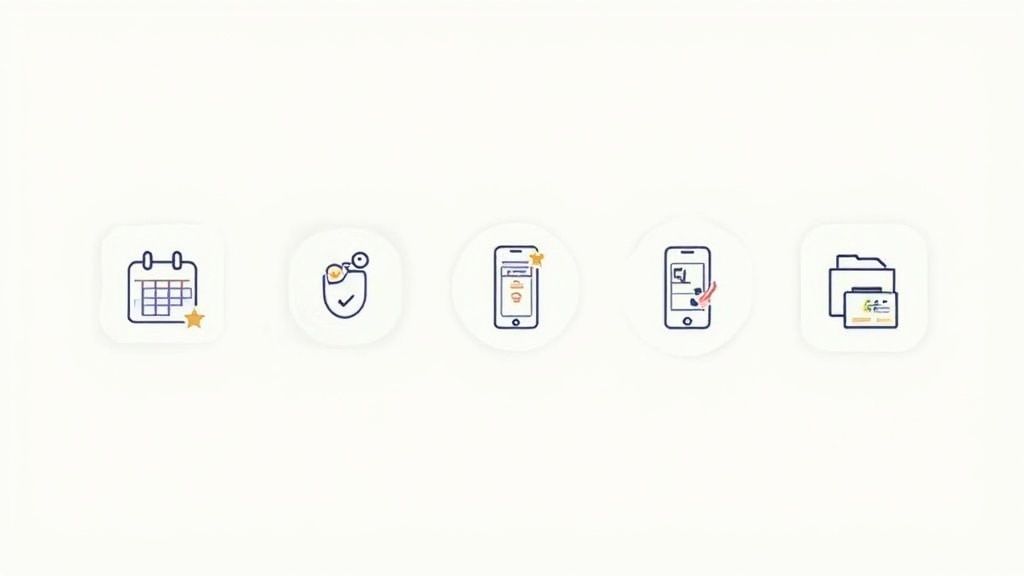
Each individual core function is the answer to a very specific challenge in everyday planning. Whether it's about complying with legal requirements or responding quickly to a surprise case of illness - modern systems provide the right solutions.
Intelligent shift planning and rules
One of the biggest hurdles when planning by hand is the seemingly endless thicket of rules that you have to keep in mind. The Working Hours Act in Switzerland alone prescribes crystal-clear break and rest times. Good software simply takes this burden off your shoulders.
A practical example: A logistics company plans shifts for its warehouse workers. The system is set to automatically take the legally required break six hours of work planned. If the dispatcher tries to assign an employee a ten-hour shift without a break, a warning will appear immediately or the assignment will be blocked immediately. Of course, the same applies to the maximum weekly working hours.
Automated rule checking is not a luxury, but a protective shield. It not only prevents severe fines during checks, but also prevents the workforce from being overworked and creates fair working conditions for everyone.
Central availability queries via app
Everyone knows this endless back and forth to check availability by phone, email or WhatsApp. Modern personnel planning tools put an end to this and elegantly shift this step directly to the employees.
Imagine an event agency that urgently needs staff for a large weekend festival. The planner simply creates the open shifts in the system. All registered employees immediately receive a push notification on their smartphone. With just a few clicks in the app, they specify which days and times they can work. The planner then sees a perfectly prepared list of all available and qualified people in real time and can fill the shifts directly. No chaos, no stress.
Automatic and mobile time recording
Incorrect timesheets and laborious typing for payroll accounting are one of the most common causes of errors and dissatisfaction. Integrated time recording creates clear conditions and ensures absolute precision.
An employee of a cleaning company arrives at the customer's house in the morning. He pulls out his smartphone, opens the app and clocks in with a tap of his finger - the time is recorded down to the second. After the work is done, he clocks out again just as easily. All working hours, including overtime and possible bonuses, are calculated automatically and are available error-free for payroll at the end of the month. This not only saves enormous administrative effort, but also creates trust and transparency.
Skills-based planning
In many industries, it is absolutely crucial that employees have specific skills or certificates. Keeping track of who is allowed to do what by hand is not only tedious, but also risky.
-
Healthcare scenario: In a nursing home, a night shift must be filled in a specialized dementia ward. Additional gerontopsychiatric training is mandatory for this service.
-
Solution with software: The planner simply filters the system for employees who have exactly this qualification. Only these people are suggested to him to fill the shift.
-
Result: The software ensures that only qualified personnel are used. This increases patient safety and at the same time meets legal requirements.
Data protection and GDPR compliance
When planning personnel, you inevitably deal with highly sensitive employee data - from contact details to employment contracts to sick notes. Protecting this information is not just a question of trust, but a tough legal obligation under the General Data Protection Regulation (GDPR).
Professional workforce planning software is designed from the ground up to meet these requirements. A detailed role and rights concept ensures that employees can only view their own data. At the same time, the system ensures secure storage and even automatically takes care of deletion deadlines for team members who have left. Compared to insecure Excel lists floating around on various local computers, such a system offers maximum data security and compliance with regulations.
How to choose the right software for your company
The search for the ideal software for workforce planning can quickly become overwhelming. The market is full of options, but not every solution really fits the processes in your company. With a systematic approach, you can make the right decision and avoid expensive bad investments.
Everything starts with an honest inventory. Before you let yourself be dazzled by colorful interfaces and long lists of functions, you should ruthlessly analyze your internal processes.
Define your specific needs
Start by asking yourself directly: What problem do I actually want to solve? Is it just a simple tool for shift planning? Or do you need a comprehensive system that also handles time recording and payroll preparation?
A retailer with several branches has completely different requirements than a small event agency. The agency may need to spontaneously book dozens of people for individual days. The retailer, on the other hand, needs stable weekly planning that takes part-time models and flexible branch changes into account.
Create a tough checklist with your must-have criteria and wishes. It is your compass when choosing a provider.
-
Shift planning: Do you need templates, an exchange for shifts or automatic staffing based on qualifications?
-
Time recording: Should the time be recorded via a mobile app, at a fixed terminal or rather manually?
-
Communication: How important is integrated chat or the ability to share documents directly with the team?
-
Payroll: Do you need a direct interface that passes data to your existing payroll program?
This list will help you stay focused and compare offers specifically instead of comparing apples with oranges.
Important selection criteria in detail
Once it's clear what you need, you can evaluate different solutions based on objective criteria. Three aspects are crucial: Ease of use, Scalability and the Support.
Software is only good if everyone enjoys using it. A complicated interface that requires a long period of training quickly becomes a burden for planners and employees in everyday work.
Make sure the operation is intuitive. A modern system is designed in such a way that new employees can find their way around without much training. The mobile app in particular is central here – it is the daily interface for your entire team.
Ease of use:
Is the interface clear and understandable? Can employees enter their availability or swap shifts with just a few clicks?
Scalability:
Does the software grow with your company? Can you easily add new locations or departments without reaching technical limits? What happens if your team of 50 on 200 people growing?
Support:
Do you receive quick and competent help if there is a fire? Is there a direct contact person, understandable instructions or perhaps even webinars? Good support is worth its weight in gold, especially in the early stages.
The underlying infrastructure also plays a role in the selection. That's why companies should consider different cloud strategies, such as the question Private cloud vs. public cloud.
Make the most of the test phase
Almost every reputable provider offers you a free trial period. Use this time intensively to put the software through its paces. It's not about just clicking a few functions, it's about replicating your real workflows in the system.
-
Create a real project: Plan a complete week for a department or a small, representative team.
-
Involve employees: Have a few team members test the mobile app. Your feedback on the operation is priceless.
-
Try the support: Ask customer service one or two specific questions. Here's how to check the response time and quality of responses before you commit.
Ask the provider critical questions at this stage. How is data security guaranteed? Are there reference customers from your industry? A thorough test phase protects you from unpleasant surprises after purchase.
Practical examples: Where the problem really is in which industry
One Human resources planning software is not a Swiss army knife that is equally suitable for every job. The requirements could hardly be more different depending on the industry. A tool that was designed for a hospital is usually useless for an event agency. Only when you look at your actual day-to-day work can you see what really matters.
The Swiss market for administrative software, which also includes planning tools, is growing steadily. For the year 2025, sales are expected to be around 158.64 million euros expected. HR solutions are most widely used in medium-sized companies50 to 200 employees. You can find out more about these developments in the Current analyzes of productivity software in Switzerland on de.statista.com.
Event industry: When every second counts
In event management there is one currency that beats everything: speed. Planning is often extremely short-term and the need for personnel explodes from one day to the next. Yesterday ten people for the construction, tomorrow two hundred for a big festival.
The typical chaos scenario:
An agency gets the contract for an event on Saturday on Tuesday morning. are needed 50 Hostesses and logistics helpers. Time is running. Manually that means: hundreds of calls, countless emails and a dozen confusing Excel lists. A pure gamble.
The solution with the right tool:
The project manager creates a new assignment in the system and filters according to the necessary profiles – for example “hostess with knowledge of French” or “helper with forklift license”. One click and the job request goes out to all qualified people in the pool. They immediately receive a push notification on their cell phone and apply directly in the app. The planner sees in real time who accepts and puts his team together in just a few minutes.
In the event industry, reaction time determines success. Good software is not an administrative tool, but rather a tough competitive advantage. It makes orders acceptable that would otherwise have to be rejected.
Hospitality and hotel industry: The daily Tetris with the roster
In the catering and hotel industry, no two days are the same. On a sunny weekend the terrace is humming, during the week when it rains there is a calm. The planning must cushion these peaks and at the same time bring part-time workers, temporary workers and permanent employees fairly under one roof.
The typical puzzle scenario:
A restaurant manager is planning the coming week. He must take into account who is only available in the evenings, who is only available on weekends and that there is at least one experienced server and a bartender on each shift. Moving things manually in a table is tedious and extremely error-prone.
The solution with smart software:
The system knows the contracts, availability and qualifications of each employee. The restaurant manager simply creates shift templates for strong and weak days. The software helps distribute shifts fairly and sounds an alarm if someone is scheduled without the necessary qualifications. It gets really ingenious with an integrated swap platform: employees can swap shifts with each other independently, which reduces the administrative effort for the boss to a minimum.
The following figure shows how a modern software solution serves different industries with tailored functions.
The picture makes it clear: Industries such as events, catering or security need specialized tools that can do much more than just manage calendar entries.
Healthcare: Where qualifications and law rule the roost
In the healthcare sector, workforce planning is a highly sensitive matter. This is not just about efficient processes, but about human lives and compliance with the strictest legal requirements. A wrong cast can have fatal consequences.
The typical high-risk scenario:
A nursing service manager is planning the service for an intensive care unit. It must guarantee that a minimum number of nursing staff with additional intensive care training is on site around the clock. At the same time, the statutory rest times and the maximum number of night shifts must be strictly adhered to in one go.
The solution with rule-based software:
The qualifications of each employee are precisely stored in the system. When creating the roster, the software only suggests personnel who have the necessary certificates. The Working Hours Act is integrated as a fixed set of rules. If the planner tries to break a rule, a warning appears immediately. This is not an option, but a must.
-
Qualification filter: Ensures that only certified personnel are assigned to specialized tasks.
-
Automatic rule check: Mercilessly monitors breaks, rest periods and maximum working hours.
-
Complete documentation: Each shift is recorded precisely - a clean basis for billing and later audits.
These examples make one thing clear: choosing the right one Human resources planning software 100% depends on the specific hurdles of your industry. A standard solution almost never meets these requirements. It's worth investing in a system that speaks your language and understands your processes.
The introduction of workforce planning software step by step
The best Human resources planning software Finding it is only half the battle. Whether the change will really be a success will only be decided when it is introduced into the company. A well-thought-out process is worth its weight in gold here, so that the changeover runs smoothly and the new tool is well received by everyone right from the start - the planners as well as the employees.
One thing is clear: the introduction is not just an IT project. It is a process of change that has to get everyone on board. A medium-sized craft business that switches from paperwork to a digital solution has to overcome the same hurdles as a large agency. Data must be prepared, the team must be informed and the transition must be clearly regulated.
Phase 1: Preparation and communication
Even before the first license is booked, the crucial work begins. First you need a thorough data spring cleaning. Outdated employee contacts, incorrect working time models or incomplete qualification lists are guaranteed to cause headaches later.
Let's imagine our craft business: The master sits behind his folders and checks whether all the contact details are correct and the contractual weekly hours for each journeyman and trainee have been recorded correctly. That is the basis.
Just as important: open communication. Announce the change early and explain to the team what it will mean. Emphasize the specific advantages that make everyday life easier - for example, uncomplicated vacation planning via app or finally transparent duty rosters. This reduces fears and creates trust.
Phase 2: Technical setup and configuration
Now it gets technical. This step lays the foundation for all future planning.
-
Import of master data: All newly cleaned-up employee data is imported into the new system. This includes names, contact details, contract details and of course the qualifications stored.
-
Definition of rules: Here the system is tailored to the reality of operations. Working time models (full-time, part-time), statutory break regulations and company agreements on overtime – all of this is stored here.
-
Creating locations and departments: For the craft business, this means, for example, setting up various construction sites as their own locations. This means you can later plan geographically precisely.
A clean configuration at the beginning saves an incredible amount of time later and prevents annoying planning errors.
Phase 3: Training and onboarding the team
The best tool is of no use if no one knows how to use it. That's why training employees is an absolutely critical success factor. It is best to separate the training courses according to target groups.
-
For planners (masters, dispatchers): An intensive workshop that covers all administrative functions. How do I create new projects? How do I respond to sick reports? And how do I create the analyzes for payroll at the end of the month?
-
For employees (journeymen, temporary workers): A short, concise guide for the mobile app is sufficient here. How do I see my roster? How do I enter my availability? How do I clock my working hours? A 15-minute meeting or a short explanatory video is often enough.
This graphic shows how specialized software addresses the very different processes in industries such as catering, healthcare or event planning.
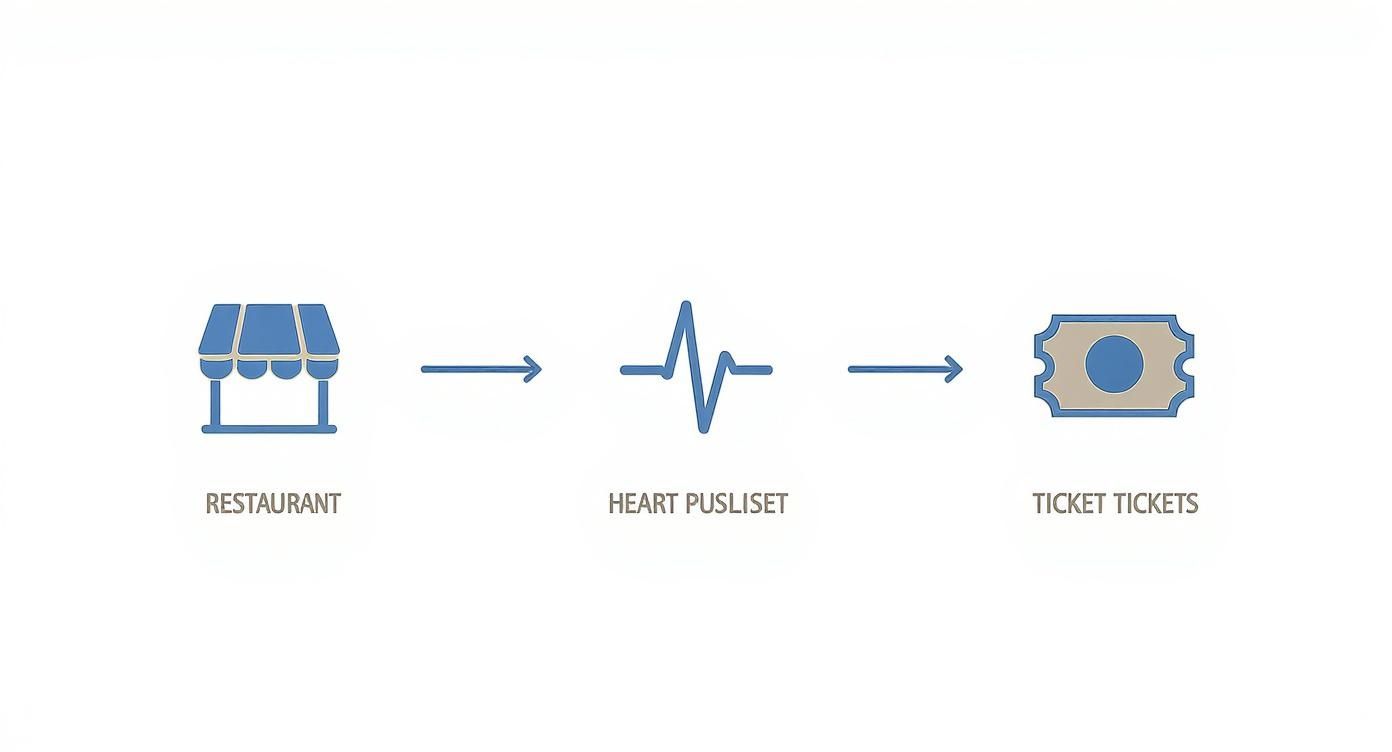
You can see straight away: Every industry works differently and has its own processes that good software simply has to reflect.
Phase 4: Go-Live and ongoing optimization
The day of the changeover is here – the starting signal is given. It's best to schedule the "go-live" at a quiet time, for example the beginning of a new week. In the beginning, it is crucial to be there to answer questions and actively ask for feedback.
A software implementation is not a project that you complete and forget. It's a continuous process.
It often only becomes apparent after a few weeks where there are still problems or where there is potential for improvement. Maybe the master craftsman notices that a certain break rule needs to be adjusted. Or there is a lack of new qualifications for a special assignment. Good software is flexible, can be adapted and easily grows with the needs of the company.
The software industry in Switzerland supports this trend. Companies plan to increase their number of employees by over 2024 4 % to increase. This growth, especially in the area of standard software, also fuels the further development of tools such as one Human resources planning software. More about You can find out about the growth and productivity of software companies in Switzerland at netzwoche.ch.
FAQ: Frequently asked questions about workforce planning software
Anyone who comes across one for the first time Human resources planning software thinks, often has similar questions in mind. No problem, that's what we're here for. Here we give you honest, practical answers to the most common considerations so you can make the right decision for your business.
Is such software also worthwhile for small companies?
Yes, absolutely. Especially in small companies, where everyone wears multiple hats, time is the scarcest resource of all. The administrative effort for duty scheduling, vacation management and the laborious adding up of hours is often even higher in percentage terms than in large corporations.
Good software relieves you of these time-consuming tasks and gives you back valuable hours that you can put directly into your core business. Just think of a café with eight employees: through automated planning and time recording, you can easily save two to three hours of office work per week. Calculated over the course of a year, that’s over 100 hours time gained.
Not to mention the costly errors that result from inaccurate timesheets when processing payroll. A clean system creates transparency and fairness, which noticeably increases team satisfaction. And don't worry: Many providers today have flexible pricing models that are absolutely fair even for small budgets.
How secure is my employee data in a cloud solution?
This is one of the most important questions, and the answer is reassuring: with reputable providers, your data is often safer than on your own company computer. Data protection, in particular strict compliance with the GDPR, has top priority.
The data is not just somewhere on the network, but in highly secure, certified data centers - usually directly in the EU or even Switzerland.
Let's be honest: an Excel list sent by email or a piece of paper in the office is much more insecure than a professional cloud solution where every access is logged and encrypted.
Every data transmission is encrypted according to banking standards, and an intelligent role and rights concept regulates exactly who is allowed to see what. A normal employee only sees their own shifts and data. A planner has extended rights, but only for his area. This ensures that sensitive information remains protected.
Can I connect existing systems such as payroll accounting?
Yes, and that is exactly one of the biggest levers for greater efficiency. Modern planning tools are not isolated islands, but offer open interfaces (APIs) to connect smoothly with your existing software landscape. The most important connection is almost always the one to payroll accounting.
Imagine the month-end closing: Instead of laboriously typing out timesheets and manually transferring them to the payroll software, you export all relevant data with one click.
-
All properly recorded working hours
-
Automatically calculated overtime
-
Documented absences such as vacation or sick days
-
All surcharges for night work or public holiday work
This data ends up in payroll without errors and correctly formatted. Not only does this eliminate an extremely error-prone task, but it saves your HR department an incredible amount of time. Before making your selection, clarify whether there are ready-made interfaces to your programs or whether they can be set up easily.
How difficult is it to train employees for the new tool?
The good news: With modern, well-designed software, the training effort is minimal. The days of complicated programs with thick manuals are over. Today's systems, especially the mobile apps for employees, are as intuitive as the social media app that everyone uses every day.
For your team, the “training” is usually limited to a few minutes. The process is self-explanatory: download the app, log in, see your own roster and enter availability for the next week. Complete.
Of course, planners and admins need a more detailed introduction to get to know all the clever functions and settings. However, good providers don't leave you alone here and support you with understandable online tutorials, short webinars or a personal introduction. This manageable effort pays off after just a few weeks thanks to the time saved.
What happens to our data if we cancel the subscription?
A perfectly valid question that you should always ask. A reputable provider has a clear and transparent process for this. The most important thing first: you are and remain the owner of your data at all times.
When you end the contract, you will be given a set period of time in which you can easily export all your data. This includes employee master data, timesheets, old rosters and everything you need for your archiving duties. Typically, you will receive this data in a common format such as CSV or Excel so that you can easily reuse it.
After this period has expired, your data will be securely and irretrievably deleted from the provider's servers in accordance with the GDPR guidelines. Just make sure that this approach is clearly stated in the terms of the contract.
You see, one Human resources planning software is much more than just a digital planning tool - it is a strategic lever to streamline your processes and make your company fit for the future. If you are ready to finally leave the chaos of papers behind you, then this is it job.rocks exactly the right solution for you.
Request your personal demo now and discover how our features tailored to your industry make the difference.
Article created using Outrank