
Find the right software for temporary employment agencies
The right software for temporary employment agencies is more than just a digital tool – it is the engine that keeps you competitive. Standard solutions such as Excel lists or simple calendar apps quickly reach their limits. They are simply no longer enough to get to the quick...
A suitable one Software for temporary employment agencies is more than just a digital tool – it is the engine that keeps you competitive. Standard solutions such as Excel lists or simple calendar apps quickly reach their limits. They are simply no longer sufficient to react to the rapid demands of the market and at the same time keep an eye on all legal requirements.
Why your temporary employment agency needs special software
Excel spreadsheets, endless WhatsApp groups and manual phone calls – does that sound familiar? Many temp agencies start the same way, but this approach is a real bottleneck for your growth. What happens if there is an urgent request for on a Friday afternoon 20 service staff coming in for an event on the weekend? The manual process becomes a nightmare: You dig through lists, check availability over the phone, check qualifications and hope that no one is scheduled twice.
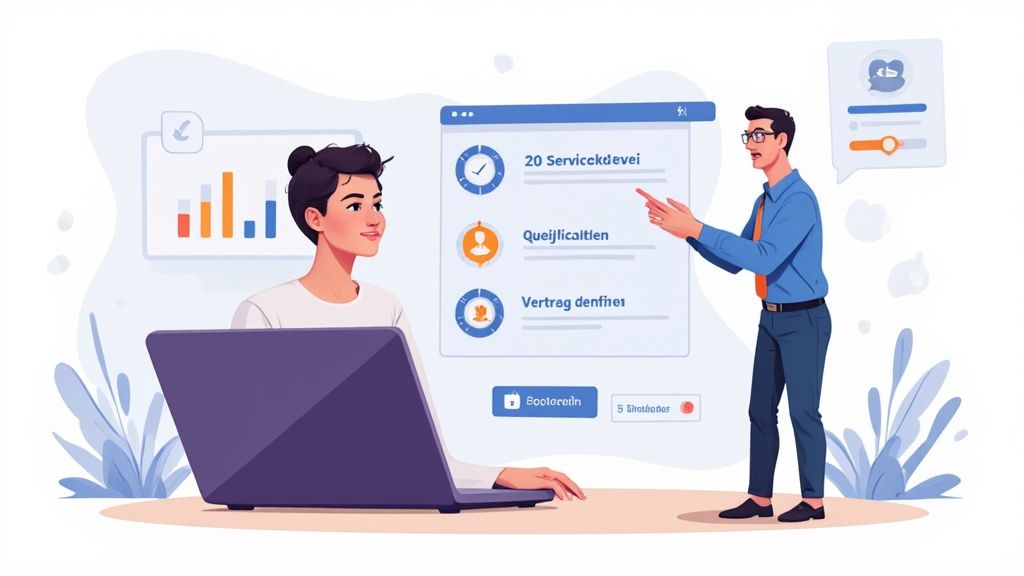
From chaos to control: a practical example
Now imagine the exact same situation, but with a specialized one Software for temporary employment agencies. Your dispatcher receives the request for the 20 service staff. Instead of panicking, you open your dashboard. With just a few clicks you can filter all available employees who have the right qualifications, such as “experience in banquet service”. The system shows you in real time who has not yet been assigned shifts for the deployment period.
With another click, an automated request is sent to the selected group. Employees receive a push notification on their smartphone and can accept or decline with one tap. The first confirmations trickle in after just a few minutes. As soon as the 20 places are occupied, the software automatically creates the legally compliant deployment contracts, taking into account the applicable collective employment agreement (GAV). The whole process may take time 15 minutes, not several hours.
That's the point: it's not just about saving time. It's about being faster and more reliable than your competition and winning the jobs that others have to turn down.
More than just planning: legal certainty and adaptability
Today's working world demands maximum flexibility - from your customers, but also from you. Economic uncertainty is adding to this pressure. Forecasts for 2025 suggest that around 60 percent of Swiss companies will rely on temporary workers in order to be able to react to fluctuating order situations, while the general willingness to hire tends to decrease.
Specialized software not only helps you meet this demand. It also gives you the necessary security that all legal requirements are being adhered to.
Good software does the hard work for you:
- GAV conformity: Wage levels and surcharges are calculated automatically and correctly.
- GDPR compliance: All employee data is stored securely and in accordance with current data protection guidelines.
- Complete documentation: Working hours, contracts and proof of qualifications are stored centrally in one place and are always at hand.
But the tasks often go beyond pure personnel administration. Sometimes heard too the provision of accommodation for employees , which brings with it its own legal and tax hurdles. A modern system bundles all of these tasks and gives you back control.
Would you like to delve deeper into the topic? Then take a look at our comprehensive article about Workforce Management Software .
Core functions that your software absolutely must have
A good one Software for temporary employment agencies is much more than a digital file. It is your central control element that helps you keep an overview, react faster and avoid costly mistakes. But which features really make the difference at the end of the day?
We're not just looking at a list of features. I'll show you what these functions do in everyday life specifically mean to you and how they dissolve typical headache scenarios into thin air.
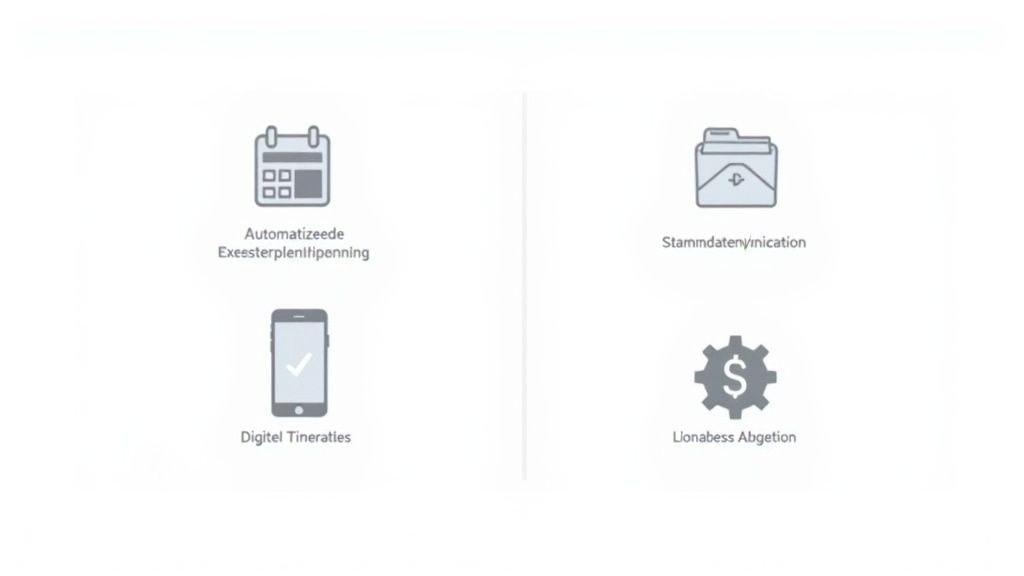
Overview of essential software functions
This table shows you the most important functions of software for temporary employment agencies and explains which specific problem it solves for you.
| Function | What it means to you | Typical problem without this function |
|---|---|---|
| Automated deployment planning | Answer inquiries and secure orders in minutes instead of hours. | Hectic phone calls, outdated Excel lists and lost orders. |
| GDPR-compliant master data | All employee information securely in one place, immediate access, no data chaos. | Scattered data, endless searching and high GDPR risks. |
| Digital time recording (app) | Error-free, down-to-the-second timesheets that flow directly into payroll accounting. | Illegible timesheets, manual transcription errors and billing chaos. |
| Interfaces for payroll accounting | Correct payroll accounting at the push of a button, without manual data comparison. | Time-consuming exporting of data and expensive errors in wages and benefits. |
Let's take a closer look at these points.
1. Automated deployment planning and availability query
Imagine the classic scenario: A major healthcare customer calls. Panic. He needs short notice for next week 25 nursing staff with special certificates for different shifts at three locations.
The old world (without software): Your team starts a hectic phone and email campaign. Excel lists are combed through, availability is queried manually and qualifications are laboriously searched for in old emails. The process is not only painfully slow, but also extremely error-prone.
The New World (with software): You create a request in the system, filter your personnel pool by “nursing specialist HF” and the required certificate with just a few clicks. The software automatically checks availability – which all employees maintain themselves via the app – and immediately gives you a list of suitable candidates. An automated request goes out and the planning is completed in minutes instead of hours.
Intelligent deployment planning is your greatest lever. It decides whether you can answer a query in ten minutes or three hours - and whether you end up with the order or the competition.
2. Central and GDPR-compliant master data management
Every employee has a file: employment contract, AHV number, proof of qualifications, bank details, contact details. This information is worth its weight in gold – and highly sensitive. They must be managed with absolute security.
The Old World: The data is often scattered across different folders, email inboxes and local computers. Finding simple information like the current address becomes a scavenger hunt. Worse still, GDPR compliance is virtually impossible to ensure.
The new world: All employee data is in a central, secure location. With one click you have access to an employee's complete history - from the application to all assignments to certificates that are about to expire. It is also important that the software ensures that all processed data, including photos, comply with current data protection guidelines. Especially on the topic Data protection of application photos there are a few things to consider.
3. Digital time recording via app
The correct recording of working hours is the basis for everything: punctual and error-free payroll and satisfied employees. Manual paper timesheets are one of the biggest sources of errors in temporary employment. Point.
The Old World: Your people fill out timesheets at the end of the week or month. These have to be collected, deciphered, countersigned by the customer and then laboriously transferred into the payroll system. Errors in break times, bonuses or overtime are commonplace.
The new world: Your employees clock in their working hours directly via a smartphone app as soon as they arrive on site. The data is transferred to your system in real time, even with GPS verification if desired. The customer can approve the hours digitally and the data flows directly into wage preparation without a single manual action.
4. Seamless payroll interfaces
Payroll accounting for temporary employment is complex. Different hourly wages, GAV regulations, expenses, shift bonuses – everything has to be right.
The old world: At the end of the month, you painstakingly export data from various Excel tables to send to your trustee or payroll department. This manual comparison is not only annoying, but also poses a huge risk of errors.
The new world: Good software offers direct connections to common payroll programs. All relevant data from time recording and master data is transmitted correctly formatted at the push of a button. This not only saves hours of work, but also prevents expensive mistakes that end up costing you money and reputation.
How the software works in different industries
Theory is all well and good, but only in practice does it become clear what a tool is really capable of. One Software for temporary employment agencies only reveals its true value when it is applied to the characteristics of an industry. Every field of work has its own rhythm, its own rules and very specific challenges.
So let's immerse ourselves in three completely different worlds and see how a smart system turns everyday working life there upside down.
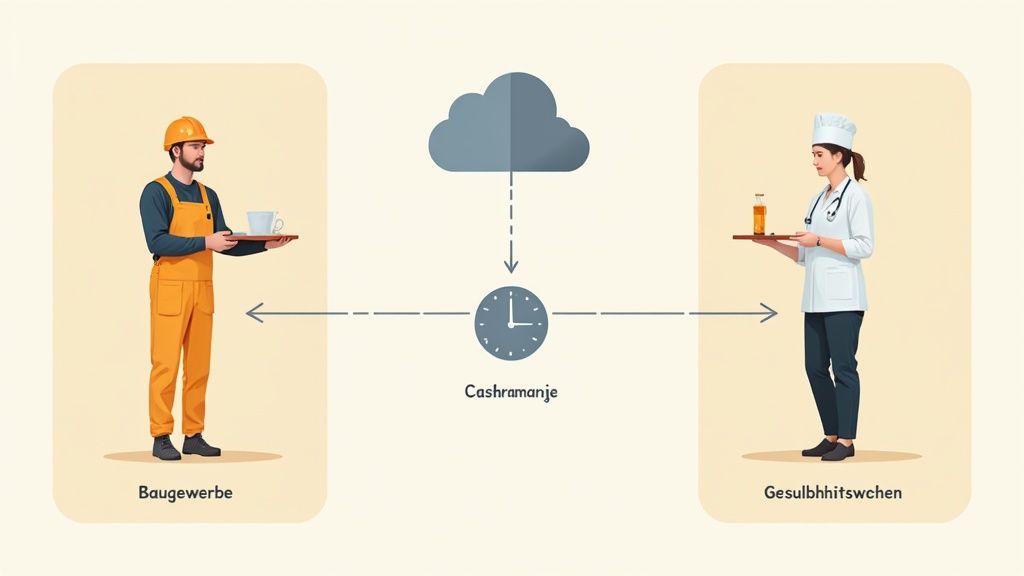
Scenario 1: The construction industry
One thing counts most in construction: speed. If a welder is unavailable at a construction site at short notice, the entire project quickly comes to a standstill. A dispatcher has to find a solution within minutes. At the same time, correct payroll accounting according to the collective employment agreement (GAV) is a huge source of errors and extremely time-consuming.
Imagine you get a call at 7 a.m.: A major customer urgently needs two qualified electricians for a construction site by 9 a.m.
- Without software: The phone glows. You start a hectic round, rummaging through notes and Excel lists and hoping to reach someone who not only has the necessary qualifications, but can also step in immediately. Once someone has been found, you have to manually check which GAV wage applies to this assignment - an administrative nightmare under time pressure.
- With software: You open your personnel pool, filter for “electrician” and “available immediately”. The system spits out a list of suitable candidates. With one click you can send an invitation via push message directly to their cell phones. The first person to accept automatically receives all the details of the operation and can drive off. In the background, the software already calculates the correct wage including all supplements. Problem solved.
The situation is getting dramatically worse, especially in the construction industry. Reports predict a massive labor shortage by 2025, with over 20,000 reported vacancies – an increase of around 15 percent compared to the previous year. Temporary work becomes a crucial factor in closing these gaps, which further increases the pressure for quick, digital solutions. You can find out more about this development read this analysis of the labor market situation in the construction industry.
Scenario 2: The catering and events industry
Flexibility is the be-all and end-all here. In the catering industry and at events, shift schedules change every minute. You often juggle with a huge pool of part-time workers who are needed for a wide variety of occasions in different locations. Coordinating this manually is practically impossible.
Think of an event agency that suddenly organizes a large company party at the weekend 10 additional service staff is needed because the number of guests has exploded unexpectedly.
The key to success here lies in direct communication and giving employees a bit of control. Software that enables this takes away from you 90% of the coordination effort from.
With good software you can do this in a relaxed manner:
- Real-time availability: Instead of an endless telephone chain, you can see at a glance in the system who basically wants to work this weekend. Your people maintain their availability independently in their app.
- Targeted invitation: You create the assignment and, with one click, invite only the people who are available and suitably qualified. No spam for the others.
- Quick confirmation: Employees confirm or reject the assignment directly in the app. You can see live how the shift is filling up and can make targeted adjustments if necessary.
This approach not only saves a lot of time, it also makes your employees happier. You have more control over your operations and only receive requests that are really relevant to you.
Scenario 3: The healthcare system
Healthcare is about much more than just availability. Qualifications, certificates and their validity period are absolutely crucial here. A nursing specialist without a valid license is simply not allowed to carry out certain activities. A scheduling error can have fatal consequences.
A hospital reports an emergency: someone is out of the intensive care unit due to illness and a nursing specialist with very specific training in emergency care is urgently needed.
- Without software: The dispatcher has to manually dig through personnel files. He looks for papers, checks who has the exact qualifications and whether the certificate is still valid. A slow process that makes it easy to miss an expired document.
- With software: All certificates and their expiration dates are stored in the system. You filter by the required qualifications and the software only suggests people whose certificates are current and valid. The system even automatically warns you when a certificate is about to expire.
This automatic monitoring gives you the security of acting in accordance with the law at all times and only providing your customers with personnel who meet the requirements 100% fulfilled. It’s a digital safety net that manual processes can never provide.
How to find the right software for your temporary employment agency
The decision for a new one Software for temporary employment agencies is a big deal. A wrong choice not only costs money, but also nerves and valuable time. So that you don't jump into the deep end, here is a clear checklist - with the criteria that are often overlooked, but ultimately determine success or failure.
The providers' advertising promises often sound suspiciously similar at first glance. But, as is so often the case, the devil is in the details. It's not about what functions a software has has, but how good these features are in your hectic everyday life really work.
This is what a modern dashboard for recruiters can look like: clear structures for applicants, mandates and the entire administration. But it's not just important that it looks tidy. In day-to-day business, it must allow you to act intuitively and quickly with just a few clicks.
Scalability: Does the software grow with you?
Imagine starting with 50 temporary employees and planning to grow to 200 in the next two years. Your software has to easily accommodate this jump without you having to change the entire system or buy expensive upgrades.
A classic mistake is choosing a solution that is only perfect for the current moment. Think about the future! Ask the provider directly how the system handles increasing amounts of data and more users.
Software is a long-term partnership. So check not only what you can do today, but also where you're headed. A good provider has a clear vision and constantly develops their product.
Connection options: Does the software speak to your other tools?
Your new software won't exist in a vacuum. It must fit seamlessly into your existing IT environment. The absolutely most important connection is almost always the one with payroll accounting.
Imagine this: At the end of the month, you export all your payroll data with a single click, and your trustee can import it directly into their payroll program. No manual typing, no careless errors. This not only saves hours, but also prevents expensive corrections afterwards.
Be sure to clarify these points in advance:
- Wage interface: Is there a standard connection to common Swiss payroll programs such as Abacus, Sage or Bexio?
- API access: Does the software offer an open interface (API)? This is your insurance to create individual connections to other systems if necessary.
- Calendar synchronization: Can the assignments be synchronized directly with your dispatchers' calendars?
User-friendliness: Can everyone really find their way around?
The greatest software is of no use to you if your team doesn't accept it. Operation must be child's play and logical for everyone involved - from the dispatcher in the office to the temporary employee on the construction site.
A dispatcher must be able to plan operations and answer inquiries with just a few clicks. A confusing interface inevitably leads to frustration and errors. The app is just as important for employees. It has to be so intuitive that even people with less technical experience can enter their availability and clock their hours without any problems.
Support: Who will help you if there is a fire?
Technical problems always arise when you least need them - usually shortly before payroll. It is precisely in such moments that fast and competent support is worth its weight in gold.
Make sure that the provider has a contact person who is familiar with the special features of the Swiss market. He must understand the local collective employment agreements (GAV) and the legal regulations. An anonymous hotline somewhere abroad is unlikely to be able to help you with specific questions. A comprehensive one Comparison of personnel scheduling software for Swiss SMEs can help you find providers that offer exactly this local focus.
Ask specific questions during the demo appointment: How quickly will I get an answer to my query? Is there a direct phone number or just an anonymous ticket system? Good support is not a nice bonus, but a tough quality feature for a professional company Software for temporary employment agencies.
The introduction of your new software step by step
The decision for a new one Software for temporary employment agencies fell – great! But let's be honest: the best software in the world is of absolutely no use to you if the introduction sinks into chaos. This section is your roadmap for a smooth transition so that you and your team benefit from the start instead of giving up in frustration.
A successful start is not a coincidence, but the result of solid preparation. We break the entire process down into four manageable phases.
The following graphic summarizes the most important points that you should keep in mind not only when selecting but also when introducing it.
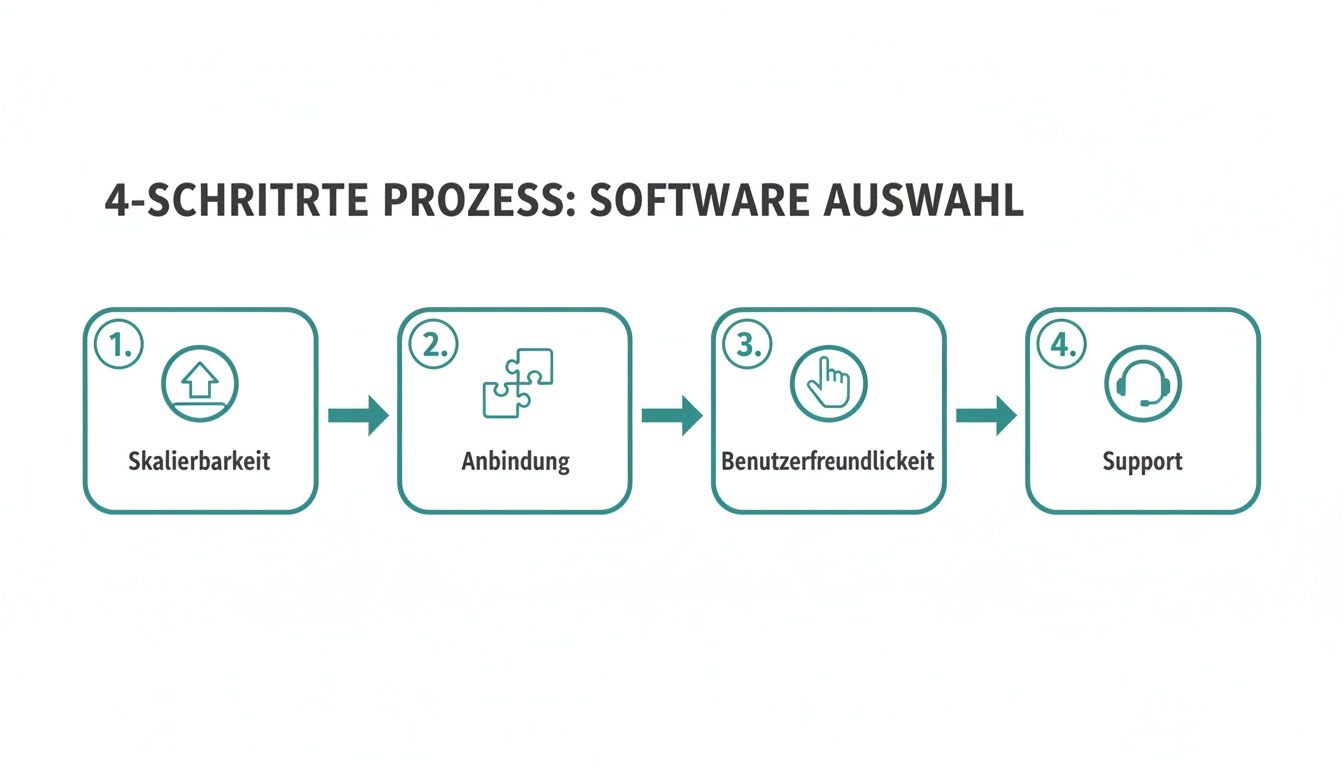
Scalability, connectivity, user-friendliness and support – these are the four pillars on which your success rests. Forget one of them and the whole structure wobbles.
Phase 1: Preparation and data migration
Before you even think about pressing the start button, you need to lay the foundation. This means: All of your existing data must be clean and complete in the new system. This is often the trickiest part of the whole project, so take it seriously.
Start by cleaning up your current data. Where is your employee and customer information? In outdated Excel lists, countless folders or maybe even in paper files? Now is the perfect time for digital spring cleaning.
Your goal is to start with a clean data set. Every mistake you bring into the new system now will cost you twice as much time to correct later.
A good software provider won't leave you out in the cold. Clarify exactly which data formats are needed and whether there are tools that make the import easier.
Phase 2: Configuration and customization
No two temporary employment agencies are the same. That's why the software has to be on yours specific workflows, not the other way around. This phase is crucial to making the new tool feel like a natural extension of your processes and not like a foreign object.
Here you set the rules for your everyday work:
- Contract templates: Store your standard deployment contracts directly in the system. They are created at the push of a button, are legally secure and uniform.
- Wage types and expenses: Define all wage types, bonuses and expense regulations relevant to you according to your GAVs. This saves you from endless manual corrections in payroll accounting later.
- User rights: Make it crystal clear who can see and do what. A dispatcher needs different access than someone from administration.
Take enough time for this step. A clean configuration at the beginning is the best insurance against headaches during ongoing operations.
Phase 3: Training your team
The best technology is useless if the people who are supposed to work with it don't understand it or - worse yet - reject it. Resistance to new things is human. Your job is to turn skeptics into convinced users.
Plan fixed training dates for your entire team. Don't just show them like the software works, but above all, why you introduce them and what specific benefits each individual gets from them. A dispatcher will love the tool when they see how much faster they can find suitable candidates for a request.
An often overlooked but crucial point is the training of your temporary employees. An intuitive employee app is worth its weight in gold here. Find out more about how to do one in our guide modern employee app that simplifies communication and processes.
Phase 4: The start and the time afterwards
The go-live day is a milestone, but the work is not over here. Questions and small problems will arise, especially in the first few weeks - this is completely normal. It is crucial that you have a clear plan for this.
Determine who in the team is the first point of contact for questions. Make sure you know how to reach support from your software provider quickly and easily. Support your team closely in the initial phase, have an open ear and celebrate the first successes. This way you can ensure that the new software quickly becomes what it should be: an indispensable part of your success.
Questions and answers about software for temporary employment agencies
Finally, we would like to clarify a few questions that we often encounter in practice. Here you will find clear and direct answers that will help you make your decision - from very strategic to very practical aspects.
How long does it take to introduce new software?
This depends entirely on the size of your company and the complexity of your processes. Smaller companies are often already within two to four weeks ready to go. Imagine a small event agency that mainly works with a pool of 50 students - here the data is migrated quickly and the processes are manageable.
For larger companies with extensive data migration and many individual adjustments, you should rather go with them one to three months calculate. A personnel service provider in the healthcare sector with 300 employees and various GAVs naturally needs more time for configuration. However, a reputable provider will always show you a realistic schedule.
Is a cloud solution or a local installation better?
It's clear: for the vast majority of temporary employment agencies, a cloud solution is a much better choice today. It is flexible, accessible from anywhere and the provider takes care of updates and security. Your dispatcher can continue to work seamlessly from his home office as if he were sitting in the office.
Local installations actually only make sense in absolutely special cases. This affects, for example, companies with extremely strict internal data protection guidelines that require data to be stored on their own servers.
How much does good software for temporary employment agencies cost?
The prices vary greatly. Most providers work with a monthly subscription model, which is based either on the number of users (i.e. your dispatchers) or the number of temporary employees managed.
Calculate costs from approx 100 CHF per month for smaller companies up to several thousand francs for large organizations. But be sure to pay attention to hidden costs for support, interfaces or updates.
It's best to always ask for a transparent pricing model that lists all services crystal clear.
How do I ensure the training of my employees?
Ask the provider directly about their training concept. Good partners offer personal training (online or on-site), understandable video tutorials and a well-developed help center.
My practical tip: Plan fixed training blocks for your team and name one or two “super users”. These colleagues become the first point of contact for the team. In this way, you build up internal knowledge and make yourself more independent of external support for everyday questions.
Are you ready to take your operational planning to the next level and finally minimize the administrative effort? job.rocks offers you an intuitive and powerful solution that is tailored precisely to the needs of modern temporary employment agencies.
Discover the possibilities now and request a non-binding demo