
Your complete guide to workforce management 2026
Welcome to your compass for modern workforce management. If you have previously relied on Excel spreadsheets and manual lists, you will quickly realize why this path leads to a dead end. Imagine being able to accurately predict staffing needs for a massive music festival without...
Welcome to your compass for modern workforce management. If you have previously relied on Excel spreadsheets and manual lists, you will quickly realize why this path leads to a dead end. Imagine being able to accurately predict staffing needs for a massive music festival without spending hours digging through data - this is where modern tools come into their own.
What awaits you in workforce management in 2026
The times when personnel planning was based on gut feeling and experience are finally over. Today we are facing completely new hurdles: demographic change is exacerbating the shortage of skilled workers, while at the same time employees are demanding more flexibility and a better work-life balance. Manual planning with tables is not only a waste of time, but also a huge source of errors.
Just think about organizing a large company event. You need service staff, security personnel and technicians. With a simple Excel list, you immediately lose track of who is available and when? Who has the necessary qualifications? Who has perhaps worked too many hours? The result is almost always the same: gaps in the operational plan, overworked staff and unnecessary stress for everyone involved.
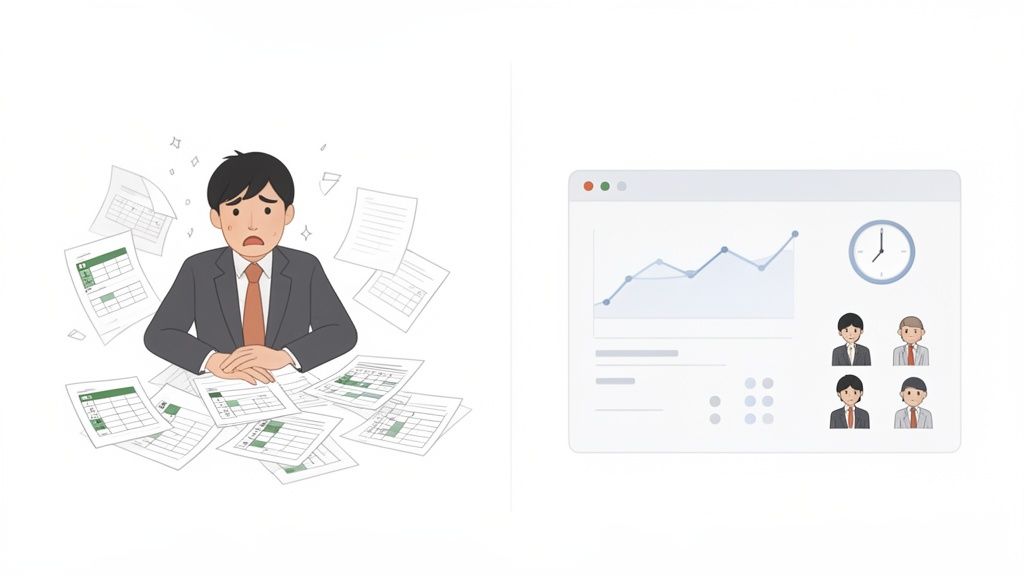
Why now is the right time to make a change
Modern workforce management doesn’t just react to problems – it acts proactively. Instead of just plugging holes, you can accurately forecast staffing needs based on past data and upcoming events. This ensures that you always have the right number of employees with exactly the right skills in the right place at the right time.
The current economic situation makes this even more important. Employment growth in Switzerland slowed noticeably in the third quarter of 2025. After years of strong growth, the focus is now clearly on needs-based and goal-oriented personnel management. Especially in industries such as the event and hospitality industry, flexible administration is becoming a core competency in order to deploy employees intelligently and in a way that conserves resources. More about the current developments on the Swiss labor market you can find it directly at the federal government.
The difference between yesterday and tomorrow
In order to make the change tangible, a direct comparison is worthwhile. The comparison clearly shows why the old way no longer works and how a modern approach gives you a real strategic advantage.
Comparison between traditional and modern human resources planning
This table shows the key differences between traditional and future-oriented approaches to workforce management.
| aspect | Traditional WFM | Modern WFM (2026) |
|---|---|---|
| Planning tool | Excel spreadsheets, manual lists | Software platform (like job.rocks) |
| Database | Static, stale data | Real-time data and forecasts |
| Communication | Emails, phone calls, text messages | Automated app notifications |
| Flexibility | Minor, changes are complex | High, rapid response to outages |
| Transparency | Low, prone to errors | Complete, clear overview for everyone |
You can see straight away: the jump from manual to digital planning is huge. It's not just about going faster, it's about making informed decisions that move the entire company forward.
Platforms like job.rocks are designed specifically to take these recurring administrative tasks off your hands. Instead of getting lost in small-scale details, you can finally concentrate on what really matters: strategic decisions. This guide will show you how to use the right tools to be prepared for the challenges of tomorrow.
The four pillars of modern workforce management
Strong workforce management for 2026 is based on four pillars that intertwine seamlessly. You can think of it like the foundation of a well-organized event: Without a solid foundation, even the best planning will eventually collapse. Each of these areas solves a specific problem and helps you make the best use of your staff.
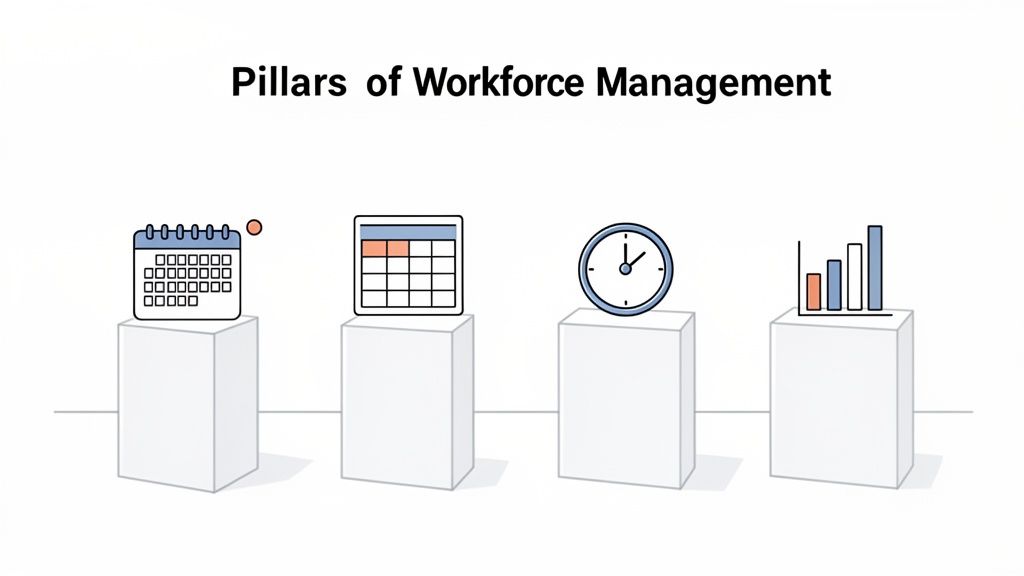
These four building blocks together form a system that helps you keep track - from the first idea to the final evaluation.
1. Needs assessment and forecast
Everything starts with a simple question: How many employees with what skills do I need, when and where? In the past, people often relied on rough estimates and gut feeling. Today, intelligent systems help to precisely predict demand.
A practical example: You organize an open-air festival lasting several days. Instead of planning general staff for the concession stands, software analyzes data from previous years, the weather and current ticket sales. The result? You already know in advance that you will be there on Saturday evening between 8 and 11 p.m 30% more We need staff on the main stages, but we can reduce them again on Sunday afternoon.
2. Personnel deployment planning
As soon as the need is clear, the actual planning begins. Who takes on which shift? It's not just about filling gaps, but about finding the right people for the right task - and doing so fairly, transparently and, of course, in accordance with the law.
Let's take the security for the festival. Software like job.rocks automatically suggests employees who are not only available, but also have the necessary license for large events. The system takes working time laws into account and thus prevents anyone from being overloaded. More about automated personnel scheduling you can read about it in our further article.
3. Time recording and absence management
How do you ensure that the planned hours are recorded and billed correctly? Manual timesheets are not only tedious, but also extremely error-prone. Modern systems solve this problem digitally and in real time.
Our festival employees clock in directly via a mobile app as soon as their shift begins and clock out again at the end. These times are automatically included in wage preparation. If someone fails at short notice, you see it immediately in the system and can react immediately instead of sinking into chaos.
4. Performance analysis and reporting
The final pillar closes the loop: you analyze the data you collect to improve future decisions. How productive were the teams? Where were there bottlenecks? Real-time dashboards give you the answers at a glance.
You can immediately see which concession stand had the longest waiting times and can plan for more staff next time. This data-driven analysis is the path to continuous improvement.
This transparency in performance measurement is becoming increasingly important. Current reports show that 52 percent of Swiss companies have difficulties recruiting personnel. That's why HR managers are placing greater emphasis on performance orientation. Companies that use active performance management systems achieve their business goals with a 1.75 times higher Probability. Find out more about the latest HR priorities in Switzerland and how they affect your business.
Technology that truly transforms your workforce planning
Technology is the engine that drives your workforce management (WFM) and makes it fit for the demands of 2026. Forget complicated, manual processes - modern systems rely on intelligent helpers who do the really hard work for you. Let’s take a closer look at three critical areas that will take your workforce planning to a whole new level.
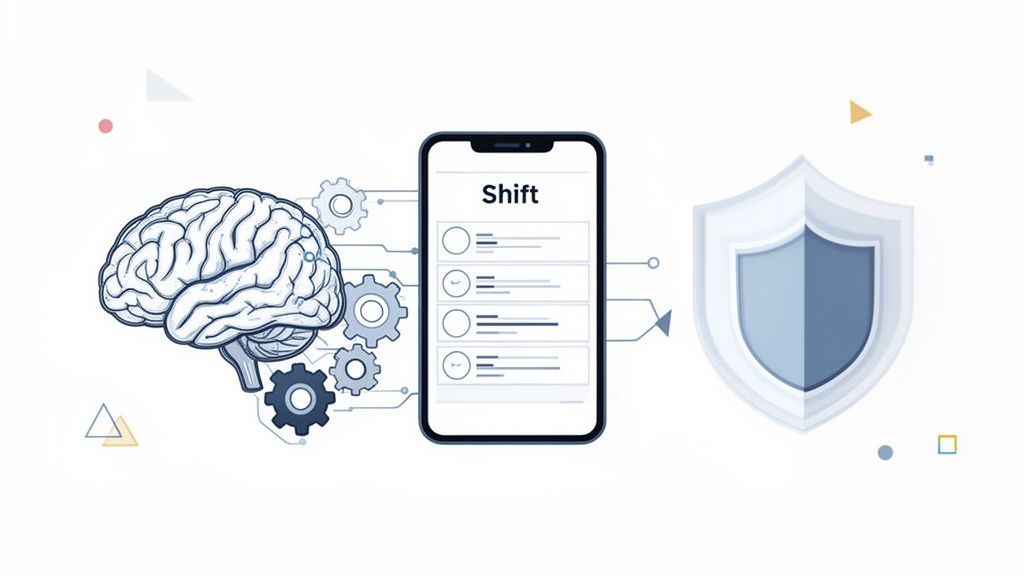
Artificial intelligence as your strategic partner
Artificial intelligence (AI) has long been more than just a buzzword. In your WFM, it acts like a smart assistant that thinks ahead and takes over the most complex planning tasks for you. It not only provides precise forecasts of personnel requirements, but also helps you create shift schedules completely independently.
Imagine you are planning staff deployment for a large hotel chain over the holidays. AI analyzes data such as booking numbers, historical occupancy and even local weather forecasts. Based on this, it not only suggests how many employees you need, but also creates a fair and balanced shift schedule.
AI takes many factors into account at the same time: employee wishes, statutory rest periods, individual qualifications and the avoidance of overtime. This creates a plan that takes both the operational requirements and the satisfaction of your team into account.
Some studies predict that by 2030 almost 40% of core competencies in many professions will fundamentally change. AI is already helping you to recognize these changes at an early stage and to further develop your staff in a targeted manner. If you want to delve deeper into the topic, you can find out more about how a modern one works here AI shift planner.
Automation that gives you time back
While AI handles strategic planning, automation takes care of the repetitive, time-consuming tasks. It is the key to drastically reducing administrative effort and avoiding human errors.
Just think of filling a shift in the security service that has become vacant at short notice. This used to mean countless phone calls and emails. With automation, this process works completely differently today:
- Availability query: The system automatically sends a request to all qualified employees who do not yet have a shift that day.
- Feedback: Employees report their availability directly via an app.
- Shift invitation: The system sends targeted invitations to the right candidates. The first person to accept gets the shift.
- Confirmation: Everyone involved receives an automatic confirmation and the plan is updated in real time.
This process reduces the effort from hours to just a few minutes. Similar automation works for time recording, approving absences and even preparing payroll. This will give you valuable time back that you can use for strategic tasks instead of getting lost in the small details.
Data protection and GDPR as a foundation
With all the technological possibilities, one aspect must never be neglected: the protection of sensitive employee data. Compliance with the General Data Protection Regulation (GDPR) is not an option, but a mandatory requirement for any modern WFM system.
When choosing new software, you need to make sure it meets all legal requirements. This applies not only to the storage of personnel data, but to the entire life cycle of the information - from capture to secure deletion.
Pay attention to the following points:
- Earmarking: Is data only used for the agreed purpose (e.g. operational planning, payroll)?
- Data minimization:Is only the absolutely necessary data collected and stored?
- Access rights: Is there a clear role and rights concept that ensures that only authorized people can access certain data?
- Transparency: Are all changes to data logged completely and can they be traced at any time?
A GDPR-compliant system like job.rocks gives you the certainty that you are legally on the safe side. Not only does it protect your company from severe penalties, but above all it creates trust among your employees.
Use cases from your industry
Theory is all well and good, but how does a workforce management system really help you in your hectic everyday life? The true value only becomes apparent in practice. So let's run through a few very specific scenarios from different industries so that you can immediately see the direct benefit for your company.
Event agencies: large-scale deployment at the push of a button
Imagine you are organizing a large car show and need it at short notice 50 qualified hostesses for stand management. The traditional route would be a nightmare: dozens of emails, countless calls and an Excel spreadsheet descending into chaos.
With a platform like job.rocks things look completely different:
- Create job: You create a new assignment in the system, define the clear requirements (such as “fluent English,” “experience in the trade fair sector”) and the exact deployment times.
- Check availability: The system automatically sends a request to all employees in your pool who meet these qualifications. No more manual searching.
- Quick commitments: The hostesses receive a push notification on their smartphone and can accept or cancel with a single click.
- Automatic occupation: The system fills the 50 open positions on a first come, first served basis or based on your preferred criteria. As soon as all places are full, further applicants will automatically be rejected.
You'll have your team complete within minutes - without a single phone call. You always have a complete overview of who has accepted and can be sure that everyone has the necessary skills.
Hospitality: Immediate help in the event of staff absences
In the hospitality industry, an unexpected outage on Saturday evening can bring the entire business to a standstill. A waiter calls in sick and you need a replacement immediately. Hectic calls are not only slow, they are often completely unsuccessful.
Here, a modern WFM system acts as your personal lifeline. As soon as you notice the failure in the system, it triggers an automatic alarm. All available service staff in the area with the appropriate qualifications receive a message on their app. The first person to confirm the open shift will be immediately entered into the roster. Gap closed.
You no longer just react, but have a proactive mechanism that has your back in critical moments. In this way, you ensure the quality of service and relieve the burden on the rest of your team, who will thank you for it.
Security services: complex planning made easy
Security services face very special challenges: different objects with different requirements, legally required qualifications and complex shift models. Creating a roster for a shopping center that has 24/7 security is a real puzzle.
A WFM system helps you master this complexity. You store the specific qualifications for each employee - for example Fire protection assistant, First responder or a special one Weapons expertise. When you then do the planning, the system only suggests staff who actually meet the requirements for the respective property.
This ensures that the right staff is always in the right place and that all legal requirements are adhered to. Working time laws and rest breaks are automatically taken into account, which reduces the risk of errors and legal problems to a minimum.
Healthcare: Flexible planning for satisfied employees
In the health and care sector, staffing needs are often difficult to predict, while employees' desire for flexible working hours is huge. A rigid shift system quickly leads to dissatisfaction and high fluctuation.
Here, a flexible WFM system allows much better control of utilization. Nursing staff can enter their desired times and availability directly in the app. The station management can take these requests into account when drawing up the roster and at the same time ensures that the station is always sufficiently staffed.
If staff are unavailable, a jumping pool can be quickly accessed. The result is noticeably higher employee satisfaction, lower stress and better quality of care.
For companies that send teams to projects, flexible apartment rental is also an important component of personnel planning and logistics. Find out about Temporary apartment for project teamsto improve the accommodation of your employees on external assignments.
This is how you successfully introduce a WFM system
The decision for a new workforce management system has been made. Super! Now the really crucial part begins: the introduction. A well-thought-out plan is the be-all and end-all here so that you don't just buy software, but create real added value for your company.
A hasty start almost always leads to frustration and a lack of acceptance within the team. So take the time to approach the introduction step by step. This is the only way to ensure that the system is used correctly from the start and can develop its full potential.
Phase 1: Analysis and provider selection
Before you even start looking for a provider, you need to do your own homework. Clearly define which problems you really want to solve and which processes you want to improve.
- Problem analysis: Where is it burning the most? Do you lose hours checking availability, creating rosters or in chaotic communication with employees?
- Goal definition: What exactly do you want to achieve? Fill open shifts more quickly, halve the administrative effort or noticeably increase team satisfaction?
- Catalog of requirements: Which functions are absolutely essential for you? Do you absolutely need a mobile app for time tracking or special filters to find employees by qualifications?
With this clear list you can then go to the provider selection. Compare different solutions like this job.rocks workforce management software, and check which partner best understands and meets your specific requirements. Pay attention not only to the range of functions, but also to the support and industry experience of the provider.
Phase 2: Data transfer and configuration
As soon as the partner is determined, things get technical. A clean database is the foundation on which your entire system stands. Be sure to take the time to clean up your employees’ master data and import it completely.
This includes much more than just names and contact details. Think about qualifications, certificates, contract details and stored availability. The more accurate this information is, the smarter and more precise the system can work for you later.
A classic mistake is blindly transferring outdated or incomplete data. This pays off later with planning errors and unnecessary additional effort. See the introduction as an opportunity to digitally spring clean your personnel data!
Then comes the configuration. Here you adapt the system to the rules of your company. You define shift models, store labor law requirements and set up automated notifications exactly how it best suits your team. A good provider will not leave you alone here, but will actively support you.
Phase 3: Training and team integration
The best software in the world is useless if your team doesn't adopt it. Early and honest communication is therefore the key to success. Don’t just explain to your employees like the new system works, but above all, why you take this step.
Show the very specific advantages for each individual. The mobile app is a perfect example of this:
- Simply report availability with a click instead of writing emails or WhatsApp messages.
- Receive push notifications about new, suitable job offers directly to your mobile phone.
- Have a transparent overview of your own roster and the hours recorded at all times.
Conduct practical training so that everyone can try out the new processes firsthand. It is also a good idea to have a few “key users”. to be named in the team. They are the first point of contact for questions and help to lower the inhibition threshold among colleagues. That creates trust.
Phase 4: Start and measurement of success
After all the preparation, it's time for the go-live. Maybe you start with a pilot group or a single department to gain initial experience before rolling out the system throughout the company.
Very important: Set clear key performance indicators (KPIs) right from the start so that you can really measure success. Compare the time it took you to create the roster before and after. Measure how quickly open shifts are filled or evaluate the direct feedback from your employees.
This graphic shows a typical workflow from the event industry digitized by a WFM system.
The entire process - from the first inquiry to the selection of the right staff to the final booking - is massively accelerated through smart automation.
This way you can see in black and white what the new solution will do for you and make targeted adjustments if necessary. A successful introduction is not a one-off project, but rather the starting signal for continuous improvement of your HR processes.
To make it easier for you to keep an overview, we have summarized the most important steps in a practical checklist. It serves as a common thread so that you don't forget anything important during the introduction.
Checklist for introducing your WFM system
A step-by-step overview of the most important tasks when introducing a new workforce management solution.
| phase | Important tasks | Tip for success |
|---|---|---|
| 1. Preparation | Carry out a needs analysis, define goals, create a catalog of requirements, set a budget. | Include the people who will later have to work with the system right from the start. Your practical experience is worth its weight in gold. |
| 2. Selection | Research providers, request demos, check references, clarify contract details. | Choose a partner that understands your industry, not just one that has the most features on a list. |
| 3. Configuration | Name the project team, clean and migrate data, adapt the system to processes, set up interfaces. | Use data migration for a “spring cleaning”. Bad data at the beginning leads to bad results at the end. |
| 4. Training | Create a communication plan, prepare training materials, train key users and employees. | Show the benefits for each individual (“What’s in it for me?”), not just the benefits for the company. |
| 5. Go Live | Start the pilot phase, collect feedback, roll out the system company-wide, ensure support. | Start small. A pilot project in one department helps to detect teething problems before everyone is affected. |
| 6. Improvement | Measure success with KPIs, check processes, obtain regular feedback, adapt and expand the system. | The introduction is not an end, but a beginning. Schedule regular reviews to get the most out of the system. |
This checklist will help you proceed in a structured manner and avoid the typical stumbling blocks when setting up. A well-planned rollout is the best guarantee that your investment will pay off quickly.
Well, theory is one thing – but what does it all look like in practice? We looked at the big trends in workforce management. Now I'll show you how job.rocks takes these concepts and uses them to forge concrete tools that really have your back.
Forget abstract buzzwords. We speak plainly: How exactly do our functions make your everyday life easier? From smart planning that thinks for you to billing that simply works - you're not only prepared for 2026, but also for tomorrow.
Intelligent planning through AI
Is your disposition constantly rotating? That's over now. Our AI-supported deployment planning takes away the nerve-racking puzzle work of finding the best people for an open shift. It automatically makes the right suggestions for you.
Imagine this: You need a technician with a very specific certification for an event at short notice. Instead of manually scrolling through Excel lists or making phone calls, the system analyzes all availability, qualifications and even preferences in the background. Within seconds you will receive a shortlist of the top candidates.
- Qualification Matching: The system knows exactly who can do what. It automatically compares the requirements of a job with the skills stored in the employee profiles.
- Compliance with rules: Working time laws, break regulations, internal guidelines? All of this is automatically taken into account for every suggestion. This saves you embarrassing and expensive mistakes.
- Fairness: The AI can be set to distribute jobs in a balanced manner. This creates a good atmosphere in the team and avoids discussions.
The result? You'll find the right staff much more quickly, and your dispatchers can finally concentrate on what really counts: strategic planning instead of putting out fires.
More control through employee self-service
Your employees are the heart of your company. That's exactly why we give you back some control and flexibility with our simple mobile app. This not only strengthens the bond, but is also the basis for modern things Employee self-service.
Your people can enter their availability, apply for open shifts or check their working hours at any time and from anywhere. Not only is this more convenient for you, it also dramatically reduces your administrative workload. Above all, it creates transparent and appreciative communication. When employees feel that they can actively participate in planning, they are more committed and reliable. A real advantage.
This screenshot shows how clearly and easily you can create new jobs and send them out to your people.
You can see immediately: All important information such as location, time and required skills are bundled in one central location. No chaos, no misunderstandings.
Security and seamless connections
We make no compromises when it comes to data protection. Our platform is designed to be GDPR-compliant from the ground up, so that you are always legally on the safe side. Seamless change protocols also create full transparency and make every individual planning change traceable.
With job.rocks you have the certainty that sensitive employee data is processed securely and in accordance with the law. This creates trust among your people and protects your company from unpleasant surprises.
And because software is only as good as its connections to other programs, job.rocks can be easily docked into your existing systems. The interface to your payroll software is particularly important. All digitally recorded working times flow directly into billing without errors and without manual typing. This not only saves an incredible amount of time, but also prevents the typical, often expensive transmission errors.
With job.rocks you not only get software, but also a partner who will provide you with a strong, future-proof and, above all, practical solution.
Frequently asked questions about workforce management
The same questions arise again and again when it comes to workforce management. Here we answer the most common ones to take away any remaining ambiguities.
What is the biggest advantage of a modern WFM system over Excel lists?
Clearly: automation, real-time data and a drastically reduced error rate. An Excel spreadsheet is a manual tool - it requires constant maintenance, is prone to errors and is isolated. A modern WFM system, on the other hand, automates tedious routine tasks such as availability queries, rule-based shift planning and all communication.
Imagine this in concrete terms: Instead of laboriously sending emails or WhatsApp messages to fill an open shift, the system sends a targeted request to all qualified employees. You can see immediately who has accepted and avoid double bookings or planning errors. This not only saves you nerves, but also time and money.
How long does it take to introduce software like job.rocks?
Of course, this depends on the size of your company and the complexity of your processes. At job.rocks But we have a clear principle: the start must be quick and easy.
For most small and medium-sized companies, our system is ready to go within a few days. We won't leave you alone, but will actively support you in setting up and transferring your existing data. This means you and your team can get started productively without having to wait long.
Our goal is for you to focus on your business, not on lengthy software projects. You will be surprised at how quickly your team will feel the benefits in everyday life.
Does workforce management also make sense for small companies?
Absolutely! A WFM system is worth its weight in gold, especially for small businesses that rely on a flexible pool of part-time workers, temporary workers or freelancers. It helps you keep an overview, react quickly to order peaks and communicate professionally with your staff.
Think of a small catering company: on a Saturday there are suddenly three events scheduled at the same time. With a WFM system, you can see at a glance who is available and has the necessary experience for which assignment. This administrative relief gives you the freedom to take care of the most important thing: your customers.
Are you ready to prepare your workforce planning for the future? Discover how job.rockshelps you simplify your processes and better manage your team. Find out more now at job.rocks