
Your guide to an event staffing app for personnel planning
No more planning chaos! Discover how you can simplify your staff planning, avoid errors and save valuable time with an event staffing app. No more planning chaos: What an event staffing app really does. Hand on heart: Personnel planning for a big event often feels like...
No more planning chaos: What an event staffing app really does
Let’s be honest: staff planning for a large event often feels like putting together a puzzle where the pieces are constantly changing shape. You're juggling countless Excel spreadsheets, your inbox is overflowing and the phone is ringing constantly. Who can work on Saturday? Who has medical training? And has everyone actually submitted their hours yet?
This manual back and forth is not only frustrating and time-consuming, but also a huge source of errors. One forgotten email or one wrong entry in a list and an important position remains unfilled - every event manager's nightmare.
The digital command center for your staff
One Event staffing app is basically your digital command center for all personnel planning. It throws out the confusing Excel lists, the email ping-pong and the constant calls and replaces them with a single, central platform. Here you can immediately see who is available, what qualifications someone has and how you can fill shifts with just a few clicks.
Imagine this in practical terms: You are planning a festival and need ten people to run the bar and five certified security guards on Friday evening.
- The old way: You send a circular email into the dark, call up availability, laboriously enter everything into a list and hope you haven't overlooked anyone.
- The new way: You create the shifts directly in the app, filter according to the qualifications “Bar” and “Security” and send the request specifically to all suitable employees. These confirm their availability with one click in the app.
The crucial point is: The entire process, from the request to the final confirmation, runs in a single, clean system. You can see in real time which shifts are already occupied and where there are still gaps.
More than just a digital shift plan
But modern solutions can do much more than just simplify scheduling. They improve the entire workflow. Your staff records their working hours independently via the app, which makes payroll much easier for you at the end of the month. Short-term changes to the schedule? No problem. A postponed shift is immediately communicated to everyone affected via a push message.
The result is a huge time saving for you and your entire team. At the same time, the error rate decreases because human errors are eliminated through smart, automated processes. This not only ensures smooth processes, but also happier employees who feel better informed and valued. And at the end of the day, your customers benefit because they can rely on a perfectly organized event.
What a good event staffing app really has to be able to do
What does an app essentially have to do in order for it to really help you in the hectic everyday life of an event? A strong one Event Staffing App is much more than a fancy digital calendar. It is your command center, your central tool that ensures that the right people are in the right place at the right time - without the usual chaos and stress.
Let's take a closer look at what functions a modern solution needs to have today in order to significantly reduce your workload. I will explain each function to you with a concrete example from practice.
1. Intelligent availability management
Imagine the classic scenario: You're planning a big conference in three months. This used to mean sending countless emails to your staffing pool just to find out who was available. The result? An overflowing inbox and a confusing mess of paperwork.
Intelligent availability management simply turns this situation around. Your employees enter their free times proactively and independently into the app.
- Practical example: Your employee Tom is a student and already knows that it is impossible for him to work during the exam period in June. He blocks these days with just a few clicks in his app. If you are looking for staff for an event during this period, Tom will not even appear in your selection. This saves you a pointless request and him the repeated rejection.
2. Visual and flexible shift planner
As soon as you know who has time, the actual planning begins. A visual shift planner is like a digital puzzle. You can see all open shifts and available employees at a glance and can easily assign them using drag-and-drop.
Good shift planning is never rigid. She needs to be able to breathe and adapt. If an employee is absent at short notice, you can immediately see who with similar qualifications could step in as a replacement and is just a click away.
The following concept map illustrates how an event staffing app transforms the typical planning chaos of emails and Excel lists into a structured, digital process.
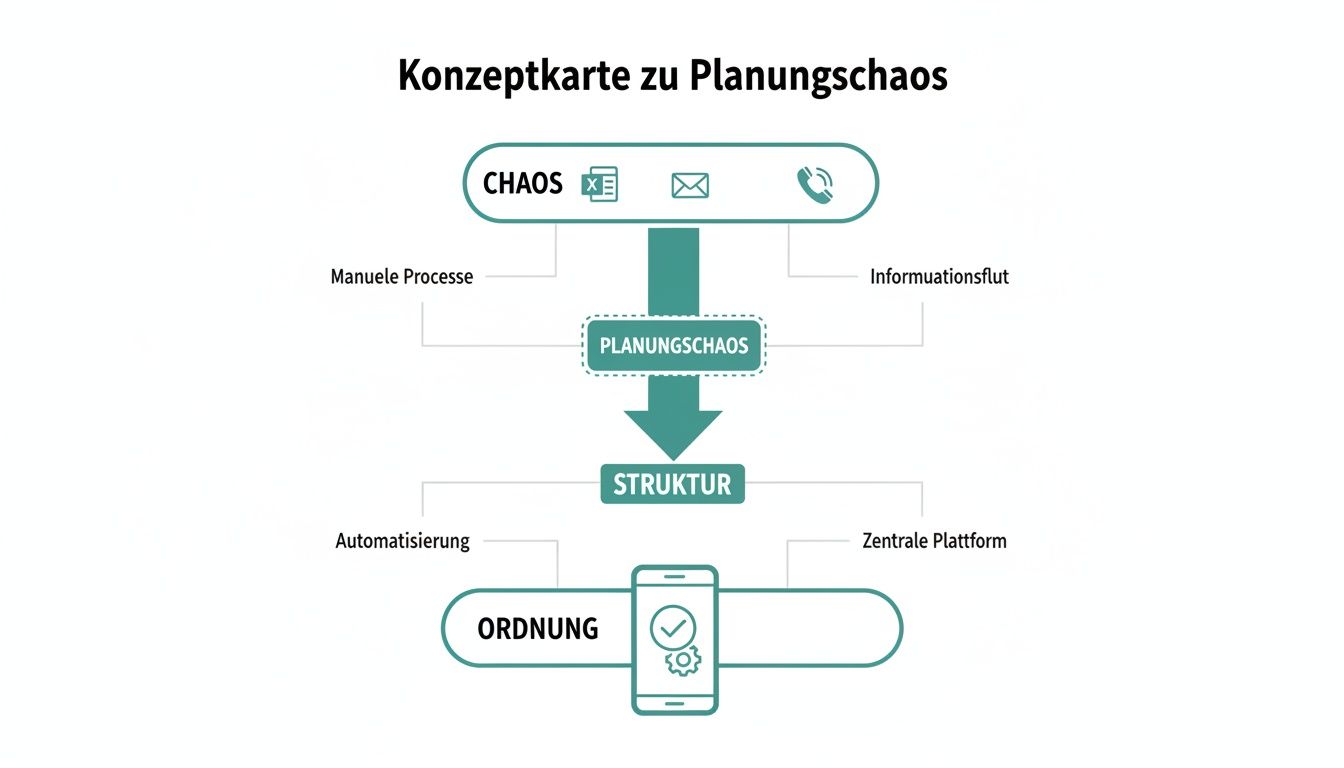
The graphic shows it very clearly: A central app bundles all the scattered information, acts as a control point and thus finally creates clear, comprehensible processes.
3. Mobile time recording via app
The days of illegible, handwritten timesheets are finally over. With mobile time recording, your employees can clock in and out directly via their smartphone as soon as they arrive at the event location. This is often even verified using GPS data to guarantee absolute accuracy.
- Practical example: Your wedding catering team arrives. Each employee briefly pulls out their cell phone, opens the app and clicks “Start shift”. After the event, the same thing: click on “End shift”. The recorded hours – including breaks – flow automatically and error-free into the system and are immediately available for payroll accounting. No typing, no discussions.
4. Detailed qualification filters
Not everyone on the team is the right choice for every job. For a gala you need service staff with experience in fine dining, strong logistics helpers are needed to set up the trade fair and multilingual hosts are needed to look after guests. A good qualification filter is worth its weight in gold here.
In the app, you can easily store specific skills, certificates or language skills for each employee. When planning, you only filter according to the criteria that you need for the respective job.
- Practical example: You are looking for a host for an international product launch who speaks fluent English and French and already has experience in dealing with VIP guests. Instead of going through your entire staff pool, you set the filters “English”, “French” and “VIP experience” in the app. Zack – the app immediately shows you only the three suitable candidates to whom you can send the job request directly.
Comparison: Manual Planning vs. Event Staffing App
This table shows you the direct differences between traditional personnel planning and the use of a specialized app at a glance.
| Task | Manual planning (Excel, email) | Planning with Event Staffing App |
|---|---|---|
| Check availability | Time-consuming email chains, confusing | Employees enter availability themselves, which is immediately visible |
| Shift planning | Manually moving back and forth in Excel, prone to errors | Visual drag-and-drop planner with conflict alerts |
| Short-term outages | Stressful phone calls, who can step in? | Automated suggestions for replacement personnel with suitable qualifications |
| Time tracking | Paper timesheets, manual transmission, errors | Mobile app with GPS verification, automatic transfer |
| Skills matching | Manual search in your head or in lists | Targeted filtering according to skills, languages, certificates |
| communication | Emails, SMS, calls – many channels, high risk of misunderstandings | Central communication via the app (push messages, chat) |
As you can see, it's not just about saving time. It's about avoiding mistakes, increasing professionalism and making the entire process much more pleasant for everyone involved - you and your staff.
The event industry is under pressure: 61% of planners According to studies, they struggle with higher costs. Apps for personnel management are no longer a luxury, but rather a crucial tool for controlling costs and counteracting the shortage of skilled workers. In Switzerland, where already 85% of event planners Using management software, the share of specialized staffing apps is expected to increase by 2025 40 % increases. You can find more exciting insights into trends in the event industry here thunderbit.com.
Together, these core features form the backbone of a powerful event staffing app. They automate time-consuming routine tasks, minimize errors and give you the freedom to focus on what really matters: creating an unforgettable event for your customers.
How to master legal aspects such as DSGVO and payroll
A powerful one Event Staffing App not only simplifies the organization - above all, it gives you the necessary legal security. When it comes to personnel, two areas are particularly sensitive: the protection of personal data and flawless payroll accounting. Let's take a look at how good software can help you overcome these hurdles confidently.
When dealing with employee data such as names, addresses, bank details and working hours, you are walking in a minefield. One wrong click, one security gap - and you can face expensive fines and, what's worse, the trust of your team is lost.
Ensure DSGVO compliance
The General Data Protection Regulation (DSGVO) is much more than just a bureaucratic monster. It protects the basic rights of your employees. A specialized app must therefore be built from the ground up to guarantee this protection.
What does that mean specifically?
- Secure data storage: All personal information must be encrypted and stored on secure servers, ideally in Switzerland or the EU.
- Regulated access rights: Not everyone on the team is allowed to see everything. A project manager needs different information than accounting. The app must allow you to define very specific roles and rights.
- Transparency and right to information: Your employees have a right to know what data you have stored about them. A good app provides this information in a clear and understandable way.
Remember: The responsibility for data protection always lies with you as an entrepreneur. An app that sees DSGVO compliance as a core function takes a large part of this burden off your shoulders and becomes your digital protective shield.
When handling personal data, it is crucial to comply with the applicable Privacy Policy to be observed carefully. Careful handling is the basis for trusting cooperation.
If you would like to delve deeper into the matter, you can find more information here, as we at job.rocks do Ensure data protection for your employees and your company.
Seamless connection to payroll accounting
The second critical point is payroll, often also called payroll. After a long event weekend, the real stress is just beginning: collecting timesheets, calculating bonuses for night work or public holidays and transferring everything into the payroll program without errors. A nightmare.
A modern event staffing app automates this entire process. It becomes the bridge between the work your team has done and the correct payout in the account.
- A practical example: Your employee Max works at a concert on Saturday from 6:00 p.m. to 3:00 a.m. He simply clocks in and out via the app. The system automatically records the nine hours of work. At the same time, it recognizes that some of the work was carried out after midnight and calculates the night surcharge provided. On top of that, Max quickly submits a photo of his receipt for the travel expenses via the app.
At the end of the month, you no longer have to laboriously collect this data by hand. Instead, with just a few clicks you can export a finished data set that contains everything: hours worked, breaks, calculated surcharges and submitted expenses.
Thanks to direct interfaces to common payroll accounting systems such as Abacus or SAP, this data ends up where it belongs directly and without errors. This not only saves you countless hours of tedious admin work, but also ensures that every employee is paid on time and correctly. And this reliability is an extremely important factor for the satisfaction and retention of your staff.
Application examples: From festivals to company celebrations
The theory behind one Event staffing app sounds good, but where does the real benefit show itself in practice? Let’s dive into a few typical scenarios. You can quickly see how an app like this solves very specific problems at completely different events.
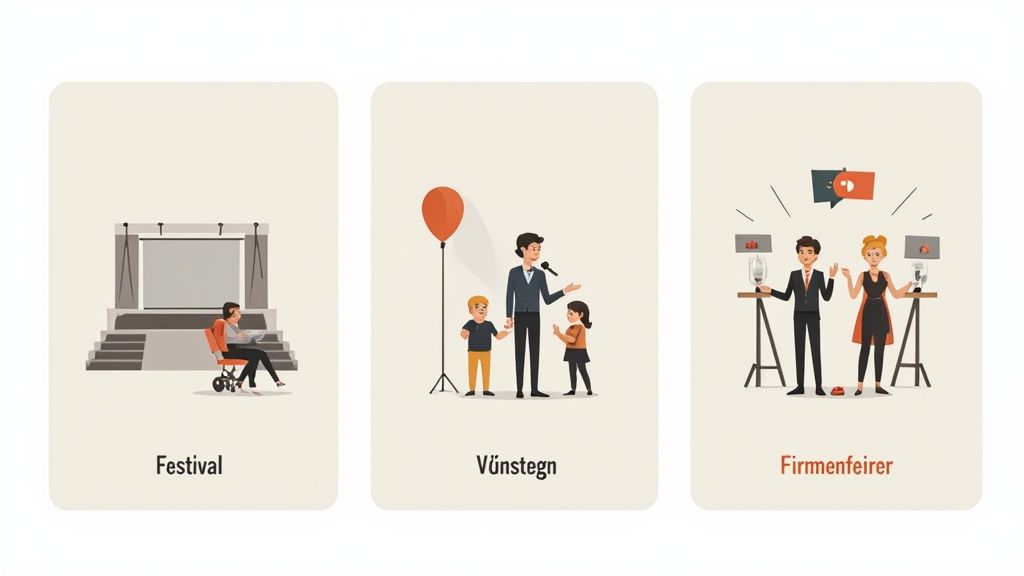
Every event brings its own, very special challenges. Flexible software adapts exactly to this. It becomes a crucial tool for a smooth process - regardless of whether you are coordinating a small team or hundreds of helpers.
The big music festival
Imagine a multi-day open-air festival. Hundreds of employees are required for a wide variety of areas: construction, bar operations, security, admission control, artist support and, of course, dismantling at the end. The complexity is enormous because the shifts run around the clock.
Here, an event staffing app is your central nervous system. You can:
- Make bulk bookings: Instead of requesting each employee individually, you create job profiles like “Bar Staff” or “Security” and send the request to entire groups of qualified people at once.
- Putting together shift packages: You define recurring shift patterns, for example for the entire duration of the festival, and your staff can apply directly. This saves countless manual entries.
- Respond in real time: If someone fails, you will immediately see the gap in the system. With a single push notification, you can send the open shift to all available and suitable employees nearby. Whoever says yes first gets the job.
Without a central platform, coordinating such a major event would be a full-time job for several people - and still extremely error-prone. The app brings all communication and planning together in a single place.
The international specialist conference
At an international conference the world looks completely different again. This is less about the sheer volume of staff and more about very specific skills. You may need hosts who are fluent in Mandarin, technicians with experience in conference technology, or wait staff trained in dealing with VIP guests.
With the qualification filter of an event staffing app, this search becomes child's play.
- Targeted personnel search: You filter your personnel pool according to criteria such as “Language: Mandarin”, “Certificate: AV technology” or “Experience: VIP support”. This way you only get suggested people who really fit.
- Deposit documents: Important certificates or evidence can be saved directly in the employee profile. This means you have everything at hand and no longer have to dig through old emails.
- Share detailed briefings: You upload important documents such as site plans, flow charts or rules of conduct directly into the app and assign them to the appropriate shifts. Every employee has all the information on their smartphone at all times.
This way you can ensure that the person with exactly the right skills is in the right place. This significantly increases the quality of your event.
The flexible catering company
A catering company thrives on its flexibility. A small company party today 20 guests, a wedding tomorrow 150 and a major event on the weekend. The need for personnel fluctuates extremely and many bookings come in at very short notice.
An event staffing app is the perfect tool for caterers to stay fast and agile.
- Quick availability query: As soon as a new request comes in, you can check the availability of all your service and kitchen staff for the requested date with one click.
- Setting up a standby pool: You can build up a pool of temporary workers who you can specifically request for individual shifts during peak demand without having to hire them permanently.
- Simple billing: After the event, the hours recorded via the app are used directly to invoice the customer and payroll for the employees. No chaos, no transmission errors.
These examples make it clear how versatile an event staffing app really is. It doesn't just solve a problem, but adapts to the specific needs of a wide range of industries. More about how such software does that Event staffing for agencies You can find out how to take it to a new level in our further article.
No matter whether it's a festival, conference or catering - the goal always remains the same: to have the right employee in the right place at the right time, and with minimal administrative effort.
Choose the right app for your company
The market for event staffing apps is huge and constantly growing. Finding the right solution can quickly become confusing. But don't worry, with the right approach you will find exactly the tool that suits you and your company. It's about asking targeted questions and carefully examining the providers' answers.
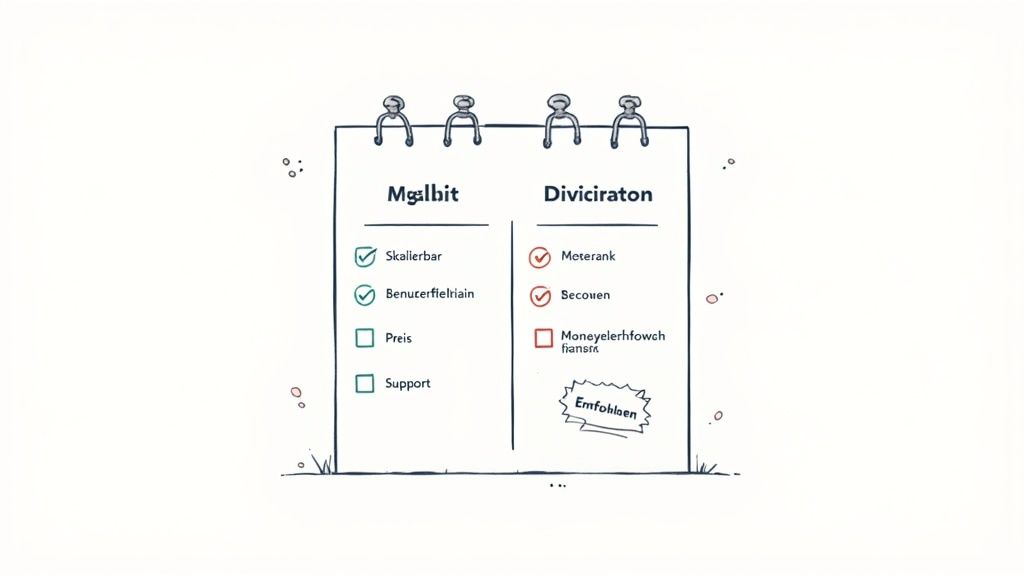
In the end, it's about making an informed decision that will make your work easier not only today, but also in the future. This checklist will help you separate the wheat from the chaff and keep an eye on the really important points in your evaluation.
Range of functions and flexibility
Every event business has its own processes and pitfalls. A standard solution that cannot be customized will quickly get in your way and create more problems than it solves. That's why it's so crucial to check exactly how flexible one is Event staffing app really is. Don't just look at What the app can, but above all How she can do it.
Ask the provider these very specific questions:
- Shift planning: How flexible is the shift planner really? Can I use different roles, work areas and individual wage types? a single one Define shift? Think of an event where you need bartenders, technicians and service staff at the same time with completely different hourly rates - the software must be able to accommodate that.
- Qualifications: Can I create my own individual qualifications and skills in the system? For example, if you are looking for staff with a special hygiene certificate or specific machine training, the app must be able to filter this. Otherwise you'll click through endless lists.
- Communication: How does communication with staff work? Can I send targeted messages to individual people, specific groups or all employees on a shift? Nothing is more inefficient than a flood of irrelevant messages for your team.
As we all know, the devil is in the details. At first glance, an app may have all the necessary functions. But it is the flexibility in daily use that determines whether it really saves you time or creates new problems.
Ease of use and support
The best software is of no use to you if your team can't or doesn't want to use it. This is especially true for the mobile app that your employees use every day. A complicated or confusing interface leads to frustration, errors in time tracking and ultimately poor acceptance within the team.
Check out these points specifically:
- For your staff: Is the mobile app really intuitive? How easy is it for my people to enter their availability, apply for shifts and track their hours? Be sure to ask for a trial that you can share with your team. Their feedback is worth its weight in gold.
- For you as a planner: How steep is the learning curve for your office team? Do you get a personal introduction and understandable instructions or are you left alone with a PDF?
- Technical support: What happens if you have an urgent problem during an event on Saturday evening? Is there emergency support outside normal office hours? A quick answer can be crucial here.
A provider like job.rocks attaches great importance to ease of use. The mobile app is deliberately designed so that employees can work with it immediately without much training - from availability notifications to digital time recording. At the same time, personal support is available to answer urgent questions. More on how a well thought out Operations planning software You can find out how to simplify the entire process in our overview.
Scalability and pricing model
Your company is growing – your software should be able to do the same. A system that fits perfectly today could reach its limits in two years if you have more employees, customers or more complex projects.
Therefore, pay attention to the following aspects:
- Growth: Is the software designed to grow with my business? What happens if I from 50 on 500 Scaling employees? Does performance remain stable or does the system collapse?
- Pricing model: Is the pricing model transparent and fair? Is it based on the number of active employees, planned shifts or is there a fixed monthly fee? Understand exactly what costs you will incur as usage increases to avoid unpleasant surprises.
- Interfaces: Does the software offer interfaces to other important systems, for example your payroll or a CRM tool? A good connection prevents isolated solutions and the dreaded double data maintenance.
Take the time to do a thorough check. A well-chosen event staffing app is a long-term investment in the stability and growth of your business. Not only does it save you administrative work, it also improves the satisfaction of your staff and ultimately the quality of your events.
To make your decision easier, we have put together a checklist with the most important questions. Use this table as a guide when talking to different providers.
Questions for the software provider
Use these questions when evaluating an event staffing app to find the right solution for your needs.
| category | Important question | What you should pay attention to |
|---|---|---|
| Range of functions | Can we create our own, industry-specific qualifications (e.g. “Barista certificate”) and filter based on them? | Many systems only offer standard tags. Real flexibility allows you to reflect exactly the skills you need you need. |
| Ease of use | Can our employees test a demo version of the mobile app before we decide? | Your team’s feedback is crucial. If the app is complicated, people won't use it - no matter how good the functions are. |
| Support | Is there German-speaking support that can also be reached outside of normal office hours in case of emergencies? | An event rarely takes place from 9 a.m. to 5 p.m. A problem on Friday evening must be solved immediately. |
| Interfaces & DSGVO | Where is the data hosted (EU/Switzerland)? Is there an open API for connecting to our payroll accounting? | Data security is non-negotiable. A good API saves you manual work and avoids errors in payroll accounting. |
| Pricing model | Are there hidden costs for additional users, more shifts or support? How does the price adjust as we grow? | A transparent model without surprises is essential. Look for models that will grow with your business without penalizing you. |
| Practical example: job.rocks | How does job.rocks solve the planning of complex shifts with different roles and wage types? | job.rocks enables the assignment of several roles per shift and stores individual wage rates for each role, which massively simplifies billing. |
These questions should help you separate the wheat from the chaff. In the end, what counts is the software you the work decreases and not the other way around. Good luck with your selection!
Frequently asked questions about the Event Staffing app
You now have a good overview of how one Event Staffing App can transform your everyday working life. But as with any new technology, very specific questions often arise in practice. Here we provide honest answers to the most common concerns so you can make a confident decision moving forward.
How do I introduce the app to my existing staff?
The biggest concern for many managers is: "What if my team just doesn't adopt the new technology?" The fear of resistance is understandable, but the key to success lies in smart, gradual implementation. Don't start right away with the biggest and most important event of the year.
Instead, choose a smaller project as a kind of “test run.” This way, your core team can get used to the new processes in peace without everything having to be perfect right away.
A proven approach in 3 steps:
- Communicate the “why”: Don’t just explain to your staff What changes, but above all, Why. Emphasize the direct benefits for them: fairer shift allocation, faster payroll and no more confusing email chains.
- Offer crisp training: Invite everyone to a short online meeting and show the most important functions live. How do I enter my availability? How do I apply for a shift? This often takes less than 15 minutes and clears the first hurdle.
- Actively collect feedback: Ask your team for their opinion. Are there any ambiguities? Is the app really as easy as you promised? This feedback is worth its weight in gold when it comes to identifying teething problems early and massively increasing acceptance.
Imagine: A catering company wants to launch a new app. Instead of a long email, the managing director makes a short cell phone video that shows how uncomplicated applying for a shift is now. He first tested the app with only his ten most experienced service staff at a small company party. He then shares their positive feedback with the entire team - that works wonders.
How much does such an event staffing app cost?
The pricing models are as diverse as the providers themselves. There is no one-size-fits-all answer, but most models are based on the size of your company or the intensity of use.
Common models you will encounter:
- Per active employee per month: Here you pay a small fee for each employee you actually schedule in a month. A fair model if your personnel pool fluctuates strongly seasonally.
- Tiered packages: Fixed packages, for example for up to 50, 100 or 500 Employees. This gives you full cost security as long as you stay within your tier.
- Fixed monthly license fee: Regardless of usage, you pay a fixed amount. This is often the case in larger companies with consistently high staffing requirements.
Important: Ask exactly what is included in the price. Are support, all future updates and the mobile app for staff really included? Or are there hidden additional costs? A transparent model is the be-all and end-all here.
Is my employees’ data secure in the app?
This is a completely legitimate question and perhaps the most important question of all. The security of personnel data is a top priority and there are no compromises. A reputable event staffing app must meet the strict requirements of the DSGVO not just fulfill, but live.
Pay attention to these crucial points:
- Server location: Where is the data physically stored? Ideally the servers are located in the Switzerland or within the EU, where the strictest data protection laws in the world apply.
- Encryption: All data must be encrypted according to current standards - both when transmitted between the app and the server and when stored on the hard drive.
- Granular access rights: The system must allow you to specify who can see and edit which data with millimeter precision. A team leader is allowed to schedule shifts, but can never see their colleagues' pay information.
A concrete example: You create a new role “Project Manager” in the app. You only give this role the right to create shifts and assign staff, but block access to sensitive contract details or bank details. It is precisely this fine control that is crucial for true data protection.
Are you ready to leave the planning chaos behind you and take your workforce planning to a new level? job.rocks offers you an intuitive, secure and flexible solution that grows with your company. Find out for yourself how easy planning can be.